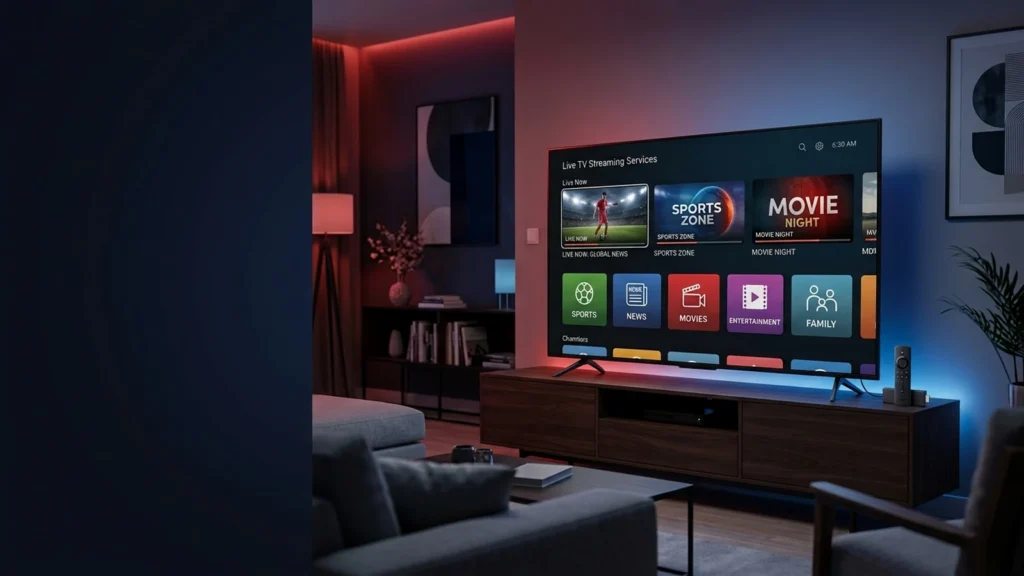
IPTV has changed the way Americans watch television. Instead of relying exclusively on traditional cable or satellite services, viewers can now stream live television and on-demand content over an internet connection. For cord-cutters, Fire TV users, and households looking for more flexibility, internet-based TV services can provide an attractive alternative.
However, choosing the best IPTV service in the US involves much more than comparing the number of advertised channels. Streaming quality, reliability, device compatibility, apps, customer support, pricing, cancellation policies, and content licensing all matter.
There is also an important distinction between legitimate IPTV technology and unauthorized redistribution of copyrighted content. IPTV itself is legal technology. What matters is whether a provider has the appropriate rights to distribute the channels, movies, sporting events, and other programming it offers.
This guide compares established live TV streaming services available to US consumers and explains what Firestick users should consider before choosing a subscription.
Prices, channel lineups, promotions, and device compatibility can change. Always verify current information directly with each provider before subscribing.
What Is IPTV?
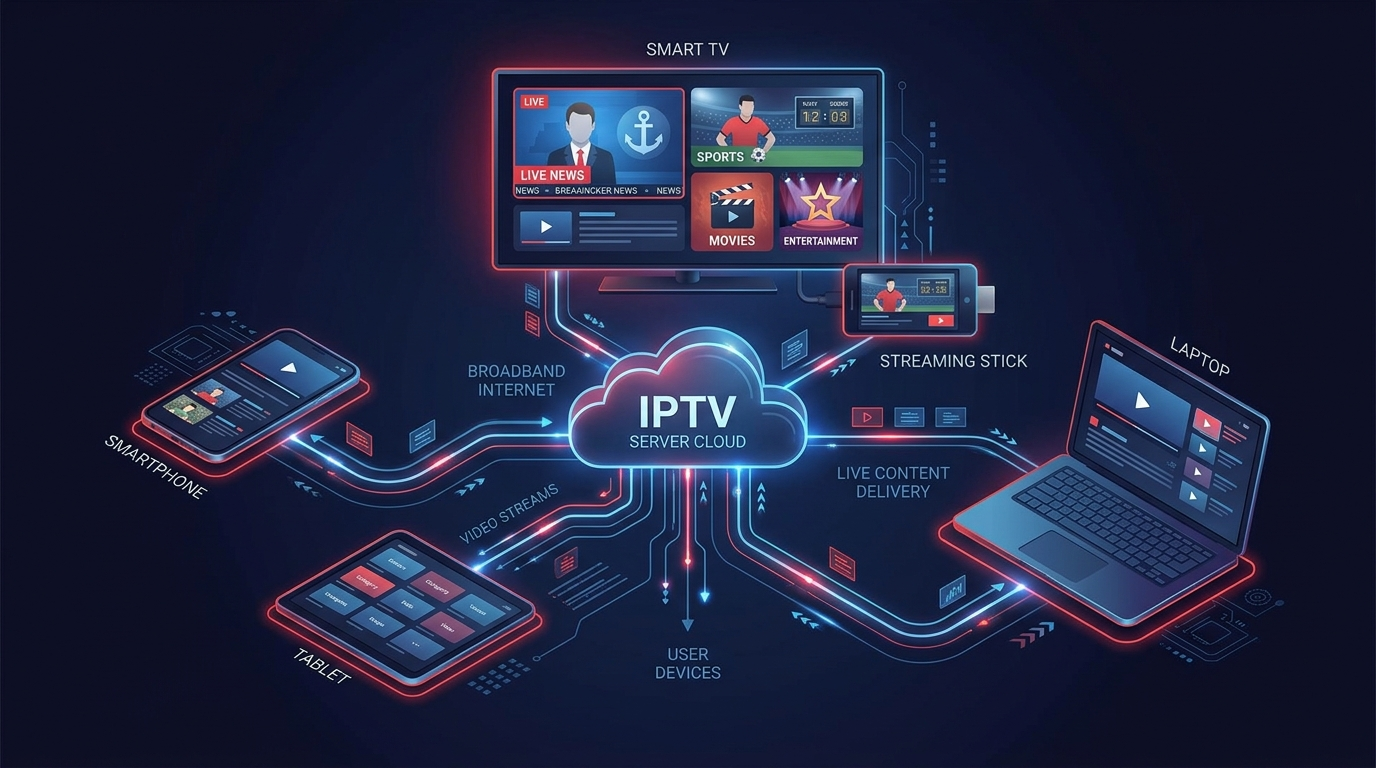 IPTV stands for Internet Protocol Television. It refers to television content delivered using an internet connection rather than exclusively through traditional cable, terrestrial broadcasting, or satellite infrastructure.
The term can cover several types of television services, including live TV delivered over the internet, on-demand programming, telecom-operated television platforms, and free ad-supported streaming television.
In the United States, services such as YouTube TV, Sling TV, Hulu + Live TV, Fubo, and Philo are generally described as “live TV streaming services,” although they use internet-based delivery.
IPTV technology itself is not illegal. The key issue is whether a service has authorization to distribute the programming it provides.
For consumers, that distinction is important. An established streaming platform with licensing agreements is fundamentally different from an unknown seller advertising thousands of premium channels and pay-per-view events at an unusually low price without explaining where its content rights come from.
How to Choose the Best IPTV Service in the US
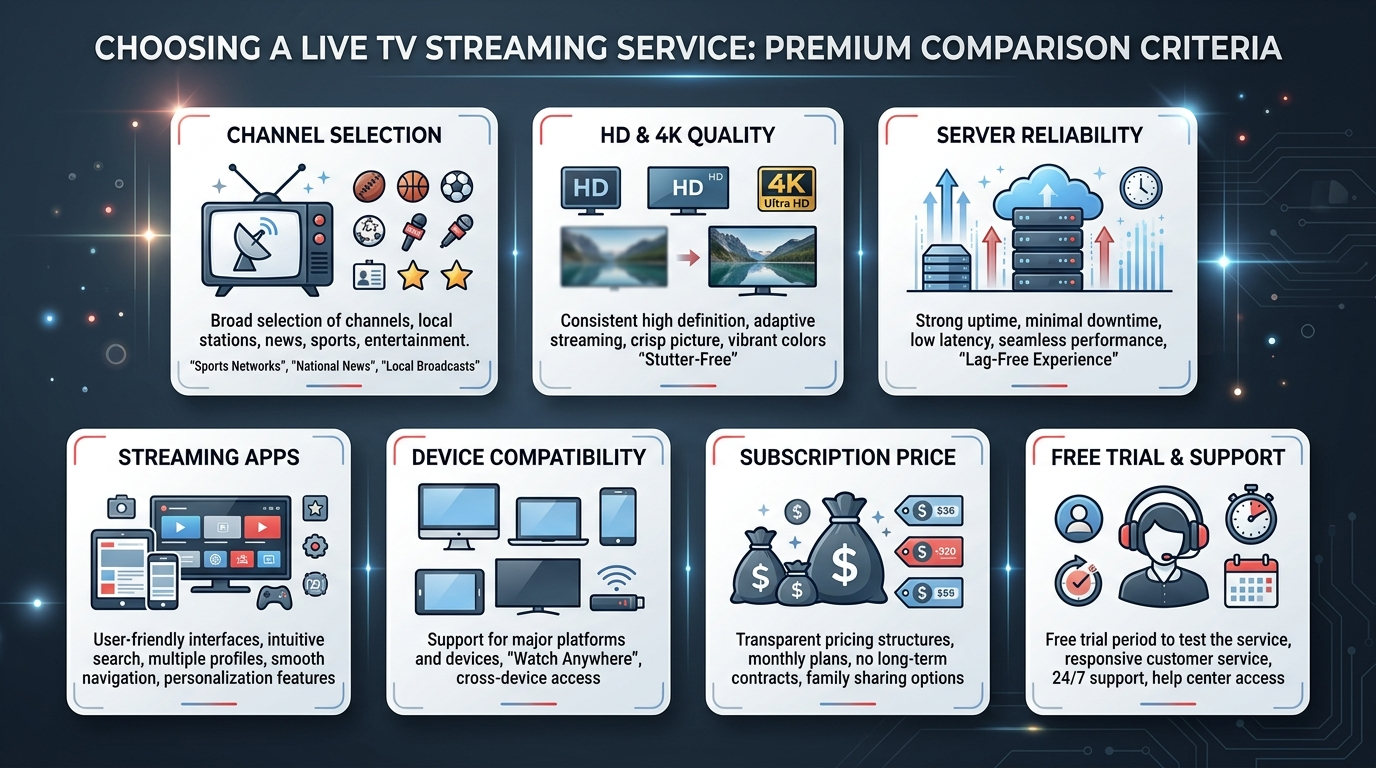
The best IPTV or live TV streaming service will depend on your viewing habits, budget, location, and devices. A service with thousands of channels is not necessarily better than one offering the 50 channels you actually watch.
Channel Selection
Start by identifying the channels you consider essential.
Sports fans may prioritize ESPN, regional sports coverage, league-related programming, and other sports networks. Families may focus on entertainment and children’s channels, while other households may prioritize news, local stations, movies, or international programming.
Local channel availability can vary by ZIP code, so always check the provider’s current lineup for your location.
Avoid choosing a service based purely on an enormous advertised channel count. Quality and relevance are more useful than quantity.
Streaming Quality
Picture quality is another important consideration. A good streaming service should provide stable HD video when the source channel and your device support it.
Some services also provide selected programming in 4K, but this does not mean every channel is available in native 4K.
Your actual viewing quality depends on several factors, including your internet connection, Wi-Fi coverage, streaming hardware, provider infrastructure, and the quality of the original broadcast.
Be skeptical of providers claiming that every television channel is available in 4K.
Reliability and Uptime
Reliability becomes especially important with live television. Buffering during a movie is inconvenient; buffering during the final minutes of a live sporting event can be considerably more frustrating.
Established streaming companies generally operate extensive infrastructure and provide official status or support channels when problems occur.
Consumers should also be cautious of services advertising “100% uptime.” No internet-delivered service can realistically guarantee that every channel and every part of its infrastructure will operate continuously without interruption.
Apps and User Experience
A well-designed application can make a major difference to everyday viewing.
Useful features include an electronic program guide (EPG), search, favorites, profiles, parental controls, closed captions, cloud DVR, recently watched content, and support for simultaneous streams.
Official applications available from established app stores can also simplify installation and updates.
Device Compatibility
Before purchasing a subscription, check every device on which you intend to watch.
Many mainstream services support Amazon Fire TV, Android TV or Google TV, Apple TV, Roku, iPhone, iPad, Android phones and tablets, web browsers, and selected smart TVs.
Fire TV owners should specifically verify that the service supports their model.
If you’re researching television services specifically for Amazon devices, you can also review this best IPTV for Firestick resource while independently verifying the licensing, terms, and content availability of any service you consider.
Pricing
Don’t compare IPTV services using the headline price alone.
Look at the complete monthly cost after any promotional period ends. Premium channels, sports packages, additional simultaneous streams, 4K features, and other extras can increase the final price considerably.
Also determine whether the service requires a long-term commitment or allows month-to-month cancellation.
Trials and Cancellation
A free or discounted trial can be useful because it gives you an opportunity to evaluate the service on your actual internet connection and television.
During a trial, test the channels you watch most often, picture quality during busy evening hours, Fire TV performance, navigation, and customer support.
Check whether the trial automatically converts into a paid subscription and understand the cancellation process before providing payment details.
Refund Policies
Never assume that a streaming subscription is automatically refundable.
Read the provider’s refund and cancellation terms before making payment. A reputable service should clearly explain these conditions before checkout.
Best IPTV and Live TV Streaming Services in the US
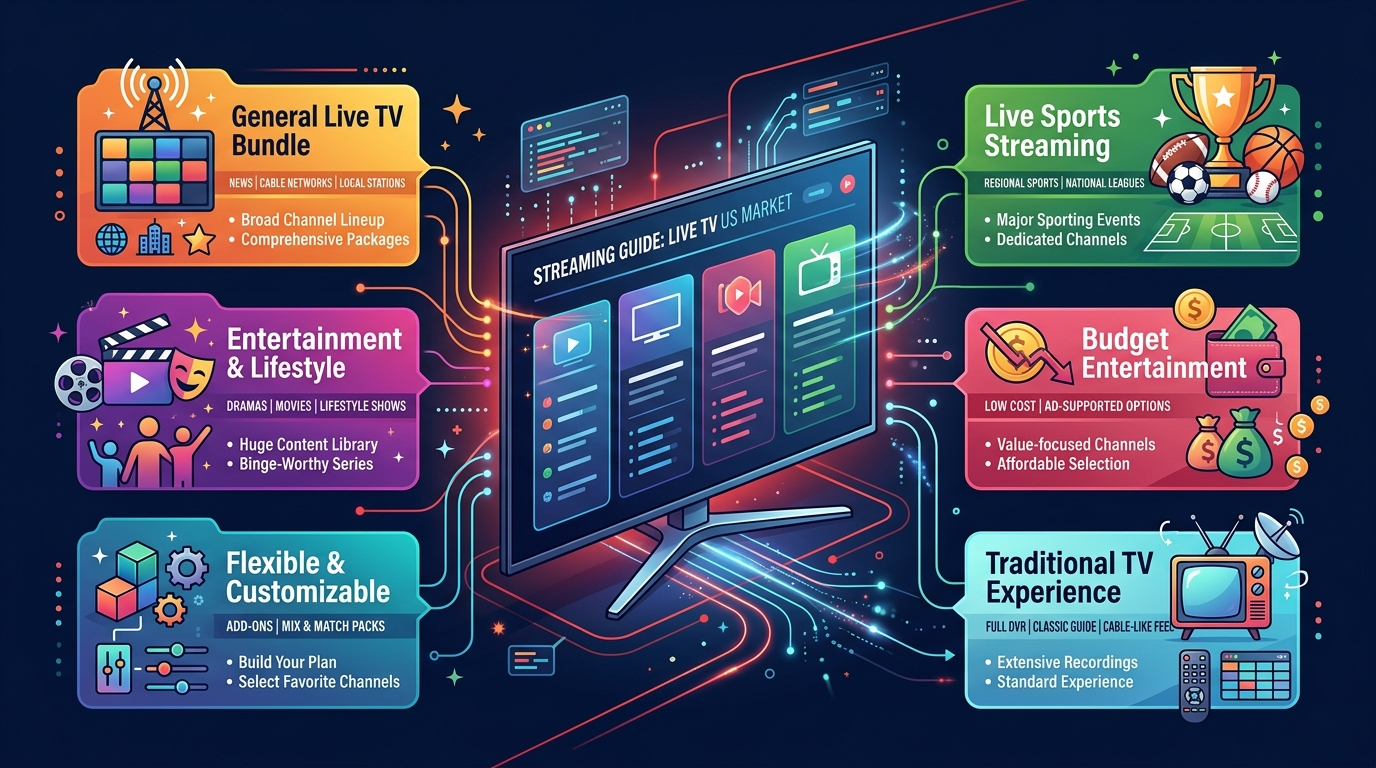
Several established platforms provide licensed live television over the internet in the United States. The right choice depends on what you want to watch and how much you are willing to spend.
YouTube TV
YouTube TV is one of the best-known cable alternatives in the United States. It combines a broad selection of live channels with cloud DVR functionality and support for popular streaming devices.
Its interface should also feel relatively familiar to people already accustomed to Google’s video ecosystem.
Advantages include a broad mainstream channel selection, cloud DVR functionality, official Fire TV support, compatibility with multiple devices, and local channels in many US markets.
The main disadvantage is cost. YouTube TV is positioned as a relatively comprehensive cable replacement rather than an ultra-budget streaming service. Optional packages can increase the total monthly price further.
Channel availability can also vary by region.
YouTube TV is particularly suitable for households looking for an all-around replacement for a traditional cable television package.
Official website: https://tv.youtube.com/
Hulu + Live TV
Hulu + Live TV combines live television with Hulu’s substantial on-demand catalog.
This makes it particularly attractive for households that want both traditional live channels and on-demand streaming without constantly switching between unrelated services.
The service has an official Fire TV application and operates within an established streaming ecosystem.
Its strengths include the combination of live and on-demand content, strong device compatibility, a mature application, and access to a large entertainment catalog.
Potential disadvantages include changing package structures and the additional cost of certain options or add-ons.
Hulu + Live TV is a strong candidate for households that consume significant amounts of both live and on-demand programming.
Official website: https://www.hulu.com/live-tv
Sling TV
Sling TV is well known among US cord-cutters because of its more flexible approach to television packages.
Instead of automatically providing one enormous channel bundle, Sling offers packages and optional extras that allow viewers to tailor their subscription more closely to their interests.
Its advantages include flexible packages, official Fire TV support, multiple add-on options, and the potential to spend less than with some full cable replacements.
However, selecting between packages and add-ons can become complicated. Local channel availability also differs depending on location, and adding numerous extras can substantially increase the total price.
Sling TV is particularly appropriate for viewers who already know which networks they actually need.
Official website: https://www.sling.com/
Fubo
Fubo has built a particularly strong reputation around live sports while also providing entertainment and news programming.
For sports-oriented households, this makes it an important service to compare. However, no consumer should assume that every competition, network, or regional event will automatically be included.
Sports rights change regularly, and availability can depend on location.
Fubo’s advantages include its sports emphasis, broad live television offering, Fire TV compatibility, and features designed for multi-device households.
Its biggest potential drawback is cost. Depending on the package and optional features selected, it can become relatively expensive.
Fubo is best suited to sports fans who still want mainstream entertainment and news within the same service.
Official website: https://www.fubo.tv/
Philo
Philo takes a different approach from comprehensive cable replacements.
Instead of concentrating heavily on expensive sports and local television programming, it primarily focuses on entertainment and lifestyle networks.
That strategy can result in a more affordable subscription for viewers who don’t need extensive sports coverage.
Advantages include a value-oriented price structure, entertainment-focused programming, Fire TV support, and an uncomplicated proposition for the right audience.
The compromise is that it isn’t intended to replace every element of a traditional television package. Sports fans and viewers requiring extensive local broadcasting may need another solution.
Philo is therefore best suited to budget-conscious viewers primarily interested in entertainment channels.
Official website: https://www.philo.com/
DIRECTV Streaming Options
DIRECTV also provides internet-delivered television options for US consumers.
These services are designed to provide an experience relatively similar to traditional multichannel television while using internet streaming.
Advantages include a broad television offering, an established company behind the service, support for compatible streaming devices, and a more familiar cable-like experience.
The main disadvantage is that it may not be the cheapest route for cord-cutters.
Consumers should carefully compare packages, device requirements, regional programming, promotional terms, and current pricing before subscribing.
DIRECTV’s streaming options can make sense for people who want to leave traditional satellite or cable infrastructure without dramatically changing the way they consume television.
Official website: https://www.directv.com/
What Is the Best IPTV Service for Firestick?
There is no single best service for every Amazon Firestick user.
For an all-around live television experience, YouTube TV may be worth considering. Hulu + Live TV can be attractive if you also consume large amounts of on-demand entertainment. Sports-oriented viewers may prefer Fubo, while Sling TV can appeal to people seeking more control over their channel package. Philo is another possibility for viewers primarily interested in entertainment rather than sports.
One of the most important considerations is official Fire TV support.
An app available through Amazon’s official ecosystem is generally easier to install, maintain, and update than software downloaded from an unknown website.
Before purchasing any Firestick IPTV Subscription, investigate the company operating the service, its terms and conditions, content rights, refund policy, customer support, and device compatibility.
Similarly, when comparing Firestick IPTV plans, consider more than the subscription price. Channel availability, licensing, streaming limits, cancellation conditions, and reliability can ultimately be more important than saving a few dollars.
How to Install an IPTV or Live TV App on Firestick
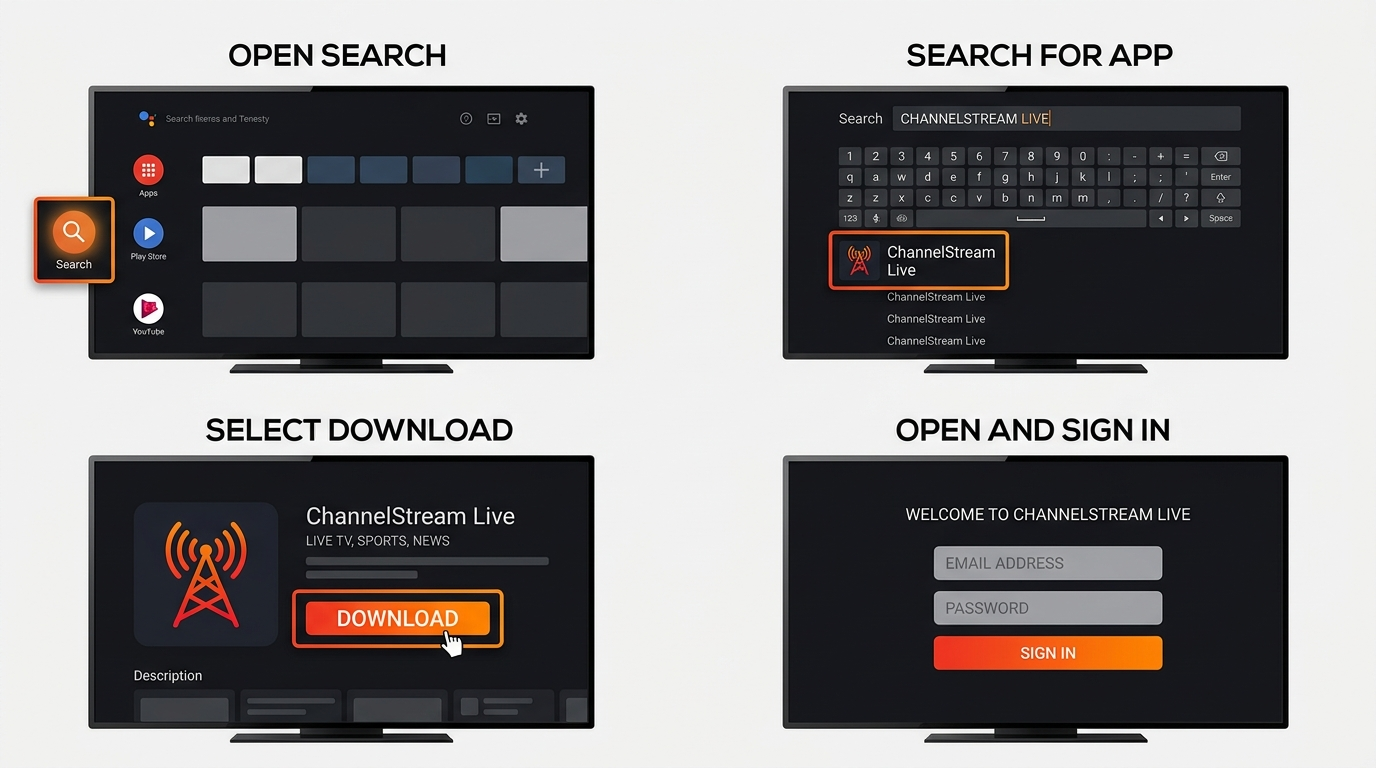 Installing a legitimate streaming service on an Amazon Fire TV device is usually straightforward when an official application is available.
First, connect your Fire TV device to the internet and make sure you’re signed in to the appropriate Amazon account.
From the Fire TV home screen, open the search function and enter the exact name of your streaming provider.
Verify that you’ve found the provider’s official application before installing anything.
Select “Get” or “Download,” wait for installation to complete, and open the application.
Sign in using the account you created directly with the streaming provider.
You can then open a live channel to test picture quality and performance.
For the best experience, make sure your Wi-Fi connection is stable. If your Fire TV installation supports Ethernet through appropriate hardware, a wired connection can sometimes provide more consistent performance.
Consumers should be particularly careful when instructions require enabling installation from unknown sources.
Sideloading applications is not inherently illegal and has legitimate uses. However, downloading APK files from unknown websites can expose a device to malware, credential theft, tracking software, or other security threats.
When possible, install applications through Amazon’s official Appstore or directly from a software provider whose authenticity you can independently verify.
Is IPTV Legal in the United States?
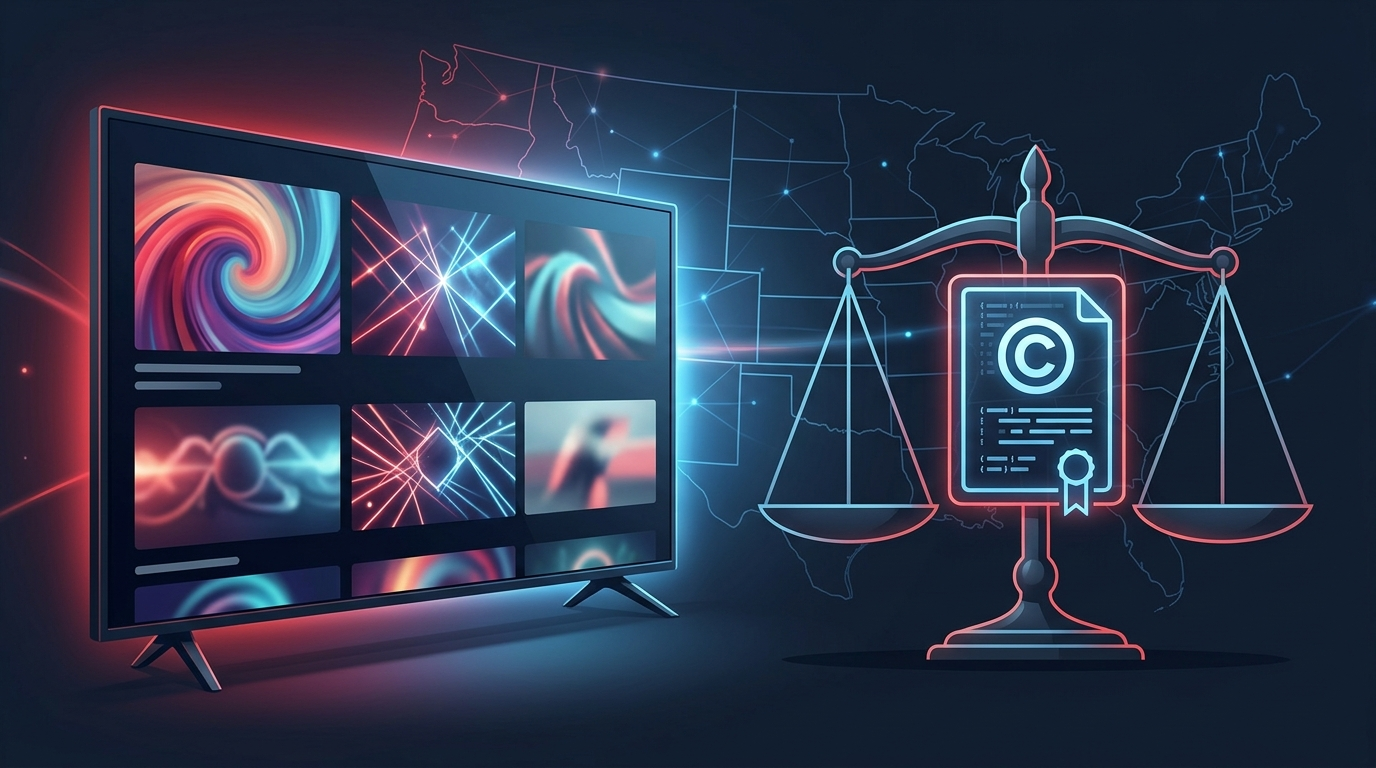
Yes, IPTV technology is legal in the United States.
The legal question concerns the authorization to distribute content, not the technology used to deliver it.
Television channels, movies, sporting events, and other programming are generally protected by copyright and contractual distribution rights. A company distributing this material therefore needs the appropriate permissions or licensing arrangements.
Simply charging customers for a subscription does not prove that a provider has those rights.
Consumers should perform reasonable checks before purchasing an unfamiliar IPTV service.
Possible warning signs include offers containing virtually every premium channel, sports package, and pay-per-view event for an extremely low price; unclear ownership information; missing terms and conditions; questionable payment methods; claims of permanent 100% uptime; and applications distributed only through unknown download links.
These signs do not individually prove that a service is unlawful. They should, however, encourage additional investigation before payment.
It is also important to understand that using a VPN does not convert unauthorized content into authorized content.
VPNs have legitimate privacy and security applications, but they do not change copyright permissions or a service provider’s distribution rights.
Consumers who want authoritative information about copyright in the United States can visit the U.S. Copyright Office at https://www.copyright.gov/.
Consumer protection information is also available from the Federal Trade Commission at https://consumer.ftc.gov/.
This article provides general consumer information and does not constitute legal advice.
How Much Internet Speed Do You Need for IPTV?
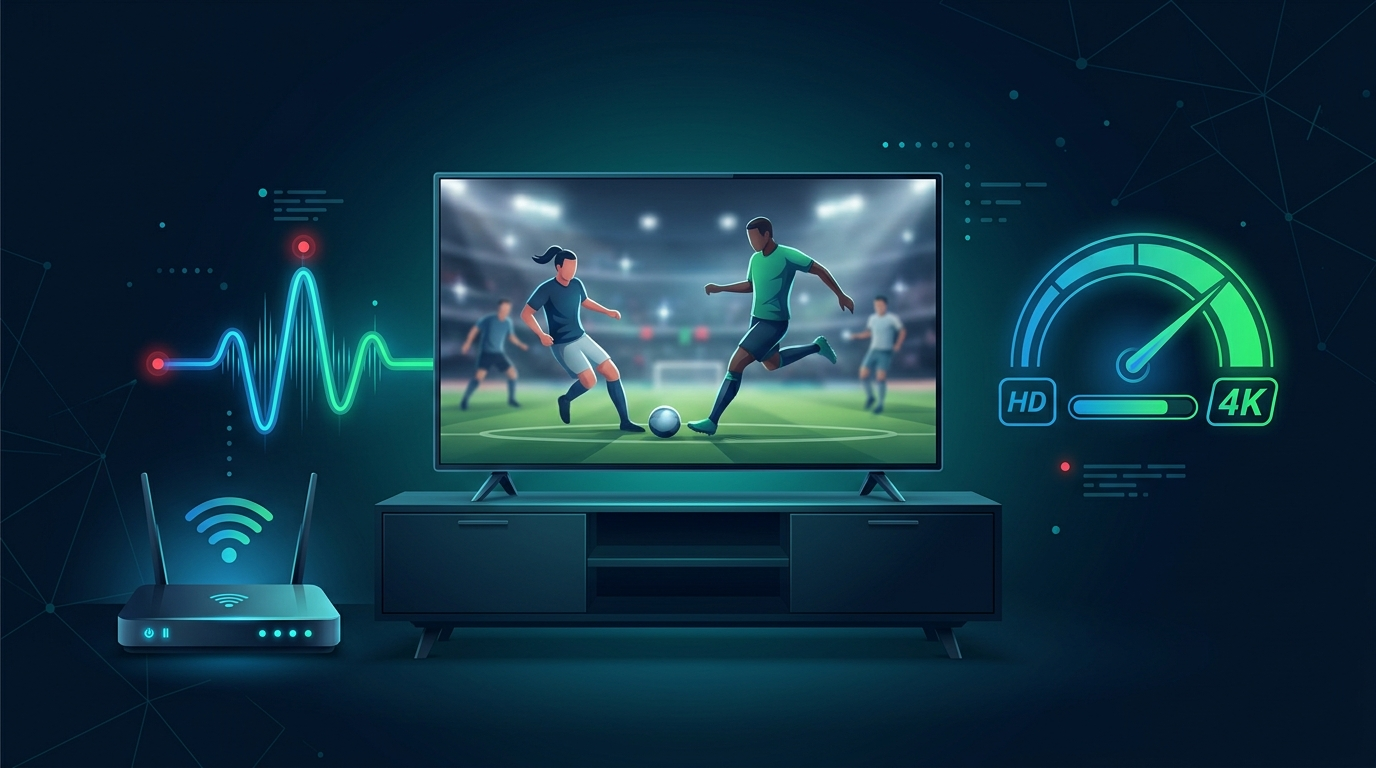
Internet speed requirements depend on the streaming provider, picture quality, and number of devices being used simultaneously.
Streaming HD television generally requires less bandwidth than 4K content. A household with several televisions, smartphones, gaming consoles, and computers will also need more capacity than someone watching a single stream.
Connection stability matters just as much as headline download speed.
A very fast internet plan won’t necessarily eliminate buffering if the Firestick has a weak Wi-Fi signal, the router is overloaded, or the streaming provider itself is experiencing problems.
Positioning your router properly, using modern Wi-Fi equipment, minimizing interference, and connecting compatible devices through Ethernet can improve reliability.
Always check your streaming provider’s current bandwidth recommendations rather than relying on a single universal speed figure.
Should You Choose an IPTV Provider Based on Channel Count?
Not usually.
Channel count is one of the easiest marketing numbers to advertise, but it can also be one of the least meaningful.
A service offering 100 reliable channels that you regularly watch may provide considerably more value than one claiming to offer thousands of channels you never use.
Ask whether the service provides your preferred local networks, news stations, sports networks, entertainment channels, and specialty programming.
Reliability is also critical. A channel technically appearing in an electronic program guide isn’t useful if it frequently buffers or becomes unavailable.
Quality, authorization, reliability, and relevance should generally take priority over raw channel numbers.
Free Trials: What Should You Test?
If a provider offers a legitimate free trial, use it to evaluate the service rather than simply browsing the channel list.
Test your favorite channels during normal viewing hours. Watch live programming for an extended period to determine whether buffering occurs. Check channel-switching speed and whether the electronic program guide is accurate.
Also test the service on every device you plan to use.
Firestick users should evaluate navigation using the Fire TV remote, startup speed, video quality, closed captions when needed, and overall app stability.
Finally, test customer support if it is an important part of your purchasing decision.
Before beginning a trial, determine whether payment information is required and whether the subscription will automatically renew at the end of the trial period.
Frequently Asked Questions About IPTV in the US
What is the best IPTV service in the US?
There is no universal winner. YouTube TV is a strong all-around option, Hulu + Live TV combines live and on-demand entertainment, Sling offers flexible packages, Fubo emphasizes sports, and Philo focuses on affordable entertainment. The best choice depends on your required channels, location, budget, and devices.
Is IPTV legal in the USA?
Yes. IPTV is a legal television delivery technology. The important question is whether a particular provider is authorized to distribute the copyrighted programming it offers.
Can I watch IPTV on an Amazon Firestick?
Yes. Amazon Fire TV devices support numerous legitimate live television and streaming applications. Search Amazon’s Appstore for the official application offered by your chosen provider.
What is the best IPTV for Firestick?
The answer depends on what you watch. YouTube TV and Hulu + Live TV are comprehensive options, Fubo focuses heavily on sports, Sling provides flexible channel packages, and Philo can work well for entertainment-oriented users. Confirm current Fire TV compatibility before subscribing.
How fast does my internet need to be?
Requirements vary according to video resolution, the provider, and the number of simultaneous users. HD generally needs less bandwidth than 4K. Consult the provider’s current recommendations and leave additional capacity for other devices on your network.
Are free IPTV trials safe?
A trial isn’t automatically safe simply because it’s free. Verify the company and its terms before providing personal or payment information. Determine whether the trial automatically converts into a paid subscription.
Do I need a VPN to watch IPTV?
A VPN is not normally required to use legitimate IPTV and live television services. VPNs can provide privacy and security benefits in certain situations, but they don’t make unauthorized content legal.
Can IPTV replace cable television?
For many households, yes. Licensed live TV streaming services can provide local television, entertainment, news, sports, and on-demand programming without a traditional cable installation. Whether this is practical for your household depends on your internet connection, required channels, location, and total subscription cost.
Are extremely cheap IPTV subscriptions legitimate?
Price alone cannot determine whether a service is legitimate. However, an unfamiliar provider offering virtually every premium network and paid sporting event for a tiny fraction of their normal market value deserves additional scrutiny. Verify the operator and its content rights before purchasing.
Is sideloading an IPTV app on Firestick safe?
Sideloading itself is a legitimate Fire TV capability, but installing applications from unknown sources carries security risks. Whenever possible, use an official application store or obtain software directly from a provider you can independently verify.
Conclusion: Choosing the Best IPTV Service in the US
The best IPTV service in the US isn’t necessarily the provider advertising the most channels or the lowest annual price.
A better service is one that offers the programming you actually want, works reliably on your devices, provides transparent pricing and cancellation terms, protects your account information, and is appropriately authorized to distribute its content.
YouTube TV is worth considering for a comprehensive live television experience. Hulu + Live TV combines live programming with a substantial on-demand ecosystem. Sling offers greater package flexibility, Fubo places significant emphasis on sports, and Philo can be attractive for entertainment-focused households. DIRECTV’s internet-based options may appeal to consumers seeking an experience closer to traditional television.
Firestick owners should pay particular attention to official device support and application security.
Whatever provider you choose, compare channel availability, picture quality, reliability, pricing, simultaneous streams, customer support, trials, and refund conditions before paying for a long-term subscription.
A good streaming service should offer more than an impressive channel count. It should provide transparency, security, reliability, value, and lawful access to the programming you want to watch.