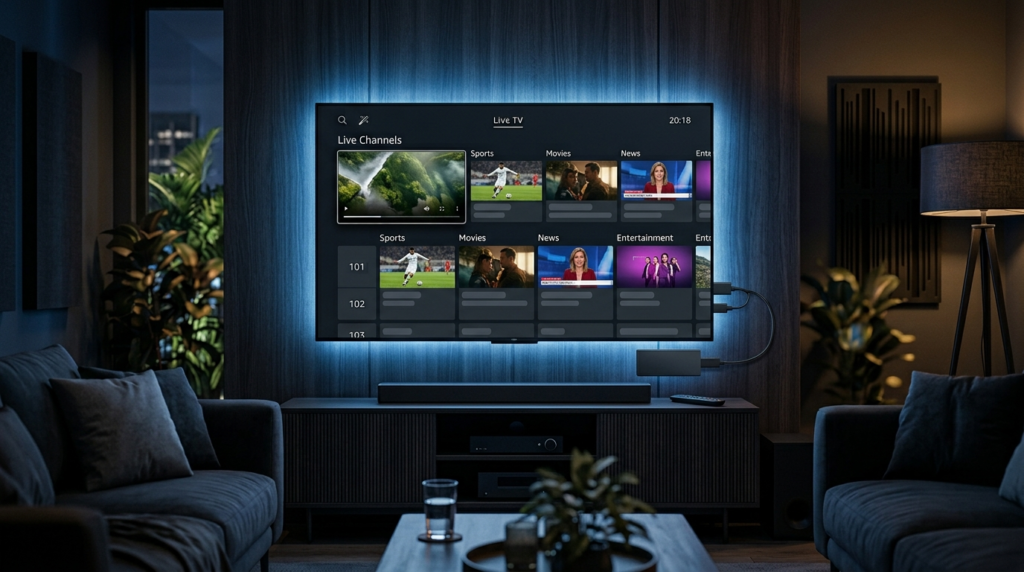
If you are searching for the best IPTV for Firestick, you are probably looking for more than simply a large channel list. A good IPTV setup should be easy to install, compatible with your Fire TV device, stable during streaming, simple to navigate and supported by a provider that clearly explains its service.
The Firestick is one of the most convenient devices for watching internet-based television because it connects directly to your TV and supports a wide range of streaming applications. However, choosing an IPTV subscription can be confusing because providers differ significantly in their channel selection, video quality, device compatibility, customer support, pricing and trial policies.
This guide explains what to look for when choosing an IPTV subscription for Firestick, how IPTV works, how to prepare your Firestick, which features matter most and how to troubleshoot common streaming problems.
Important: IPTV technology itself is a method of delivering television and video over an internet connection. Before subscribing to any service, make sure the provider is authorised to distribute the channels and content it offers and that its use complies with the laws applicable to you.
What Is IPTV?
IPTV stands for Internet Protocol Television. Instead of receiving television programming through traditional terrestrial broadcasting, satellite or cable infrastructure, IPTV delivers video through an internet connection.
The technology can be used for several types of content, including
- Live television
- Video on demand
- Movies and TV programs
- Catch-up television
- Electronic program guides
- International television channels
- Sports and entertainment programming
The important distinction is between IPTV technology and an IPTV provider.
IPTV is the delivery technology. An IPTV provider supplies the content and access credentials required to use a particular service.
Your Firestick then acts as the streaming device through which you access the service using a compatible application.
Why Use IPTV on a Firestick?
The combination of IPTV and Firestick is attractive because the Firestick is designed to turn a normal television into a connected streaming device.
Instead of connecting a computer to your TV, you can connect the Firestick directly to an HDMI port and use the supplied remote control.
There are several potential advantages.
Simple TV setup
Once your Firestick is connected to your television and internet connection, you have a compact streaming platform that can be controlled from your sofa.
Access to different streaming services
Firestick supports a broad range of streaming applications, allowing users to combine different entertainment services on one device.
HD and 4K capability
Compatible Fire TV hardware and television displays can support high-resolution streaming. However, actual picture quality depends on several factors, including the source, provider, application, internet connection and television.
Portable entertainment
A Firestick is small enough to move between compatible televisions, making it useful for households with multiple screens.
Easy interface
The Fire TV interface is designed for television navigation rather than traditional desktop browsing, which makes it practical for live television and on-demand content.
How Does IPTV Work on Firestick?
The basic process is relatively straightforward.
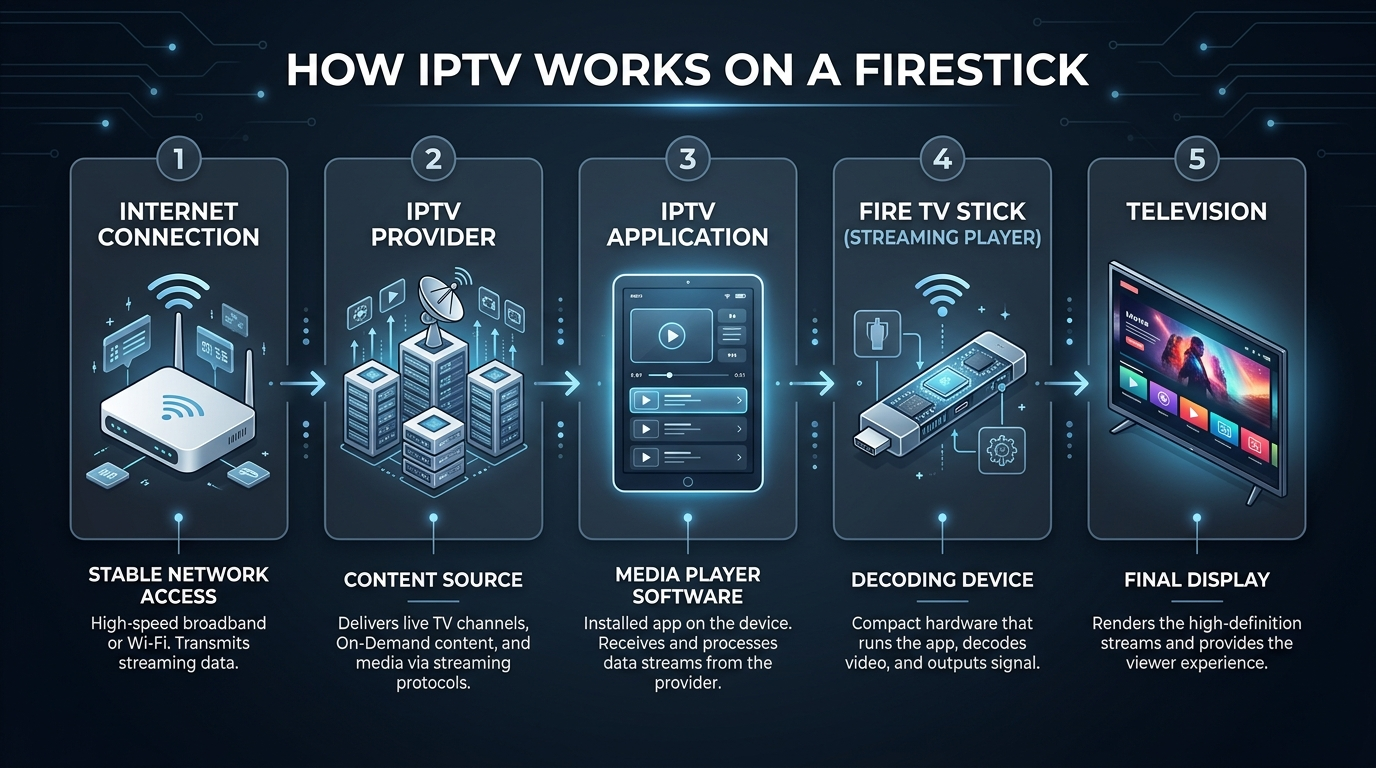
Your internet connection sends data from the IPTV provider to your Firestick. A compatible IPTV application receives and displays that stream on your television.
The process generally looks like this:
Internet connection → IPTV provider → IPTV application → Firestick → Television
The application is therefore an important part of the overall experience.
A good IPTV service can still provide a poor experience if the application is unstable or difficult to navigate. Likewise, a good application cannot compensate for an unreliable content source.
This is why you should evaluate the provider, application, Firestick hardware and internet connection together.
What Should You Look for in the Best IPTV for Firestick?
There is no single IPTV subscription that is automatically best for every user.
The right choice depends on what you watch, where you live, which Firestick model you have and how much you are willing to spend.
Nevertheless, there are several characteristics worth checking before you subscribe.
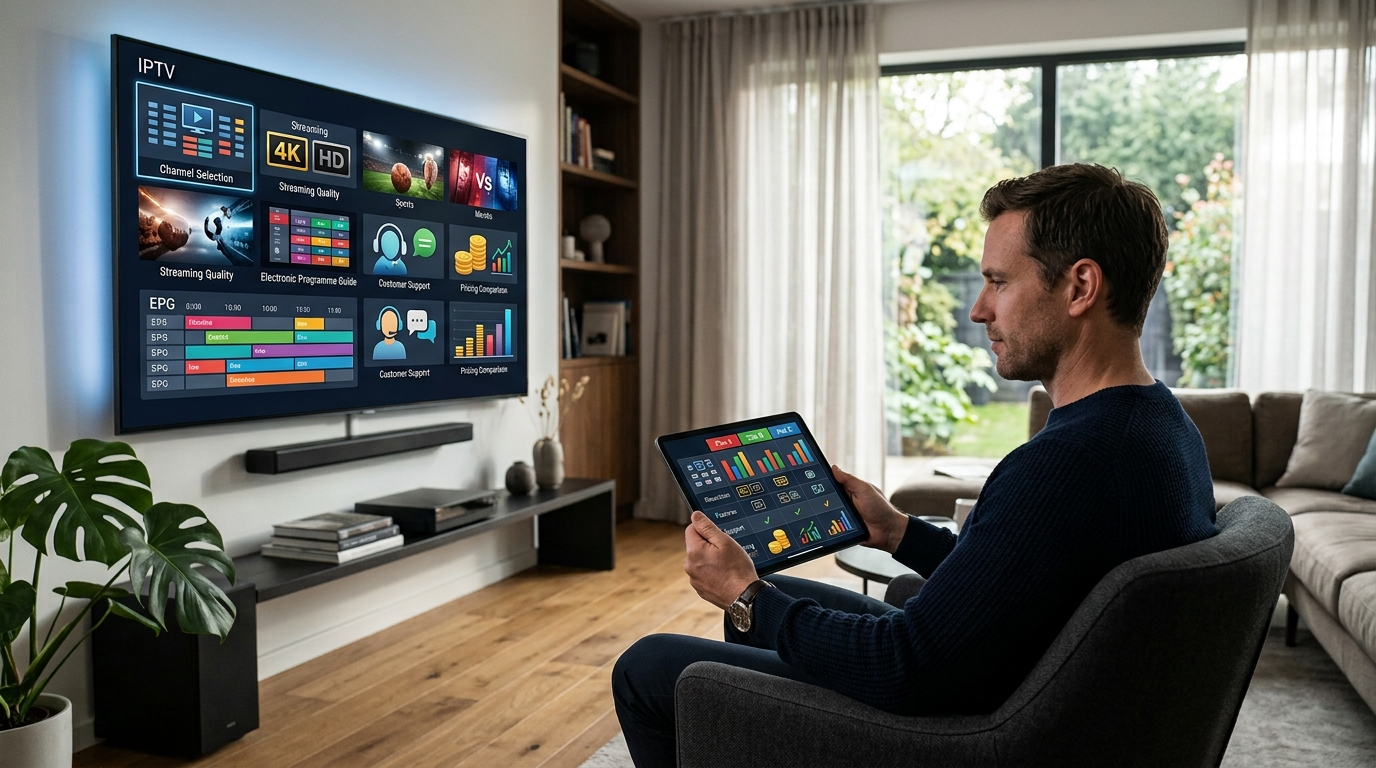
1. Firestick compatibility
The first question is simple:
Does the service work with your Firestick setup?
Check whether the provider clearly explains which Fire TV devices and applications are supported.
A provider that publishes detailed setup instructions is generally easier for beginners than one that simply sends login credentials without explaining what to do next.
2. Channel selection
A large channel number can look impressive, but quantity should not be the only consideration.
Ask whether the channels you actually watch are available.
For example, you may care primarily about:
- Local channels
- News
- Sports
- International channels
- Children’s programming
- Entertainment
- Movies
- Documentaries
- Regional programming
A smaller catalogue containing the channels you actually watch may be more useful than an enormous catalogue filled with channels you never use.
3. Streaming quality
Look for information about available streaming resolutions such as HD, Full HD and 4K.
However, remember that the advertised resolution is not a guarantee that every stream will always play at that quality.
Your actual experience can depend on:
- Internet speed
- Wi-Fi signal strength
- Firestick hardware
- Server capacity
- Network congestion
- Video source
- Application performance
4. Stability
One of the biggest complaints associated with internet television is buffering.
Before choosing a subscription, investigate whether the provider offers a trial period or another way to test the service.
Testing the service on your own Firestick and internet connection is much more useful than relying exclusively on an advertised channel count.
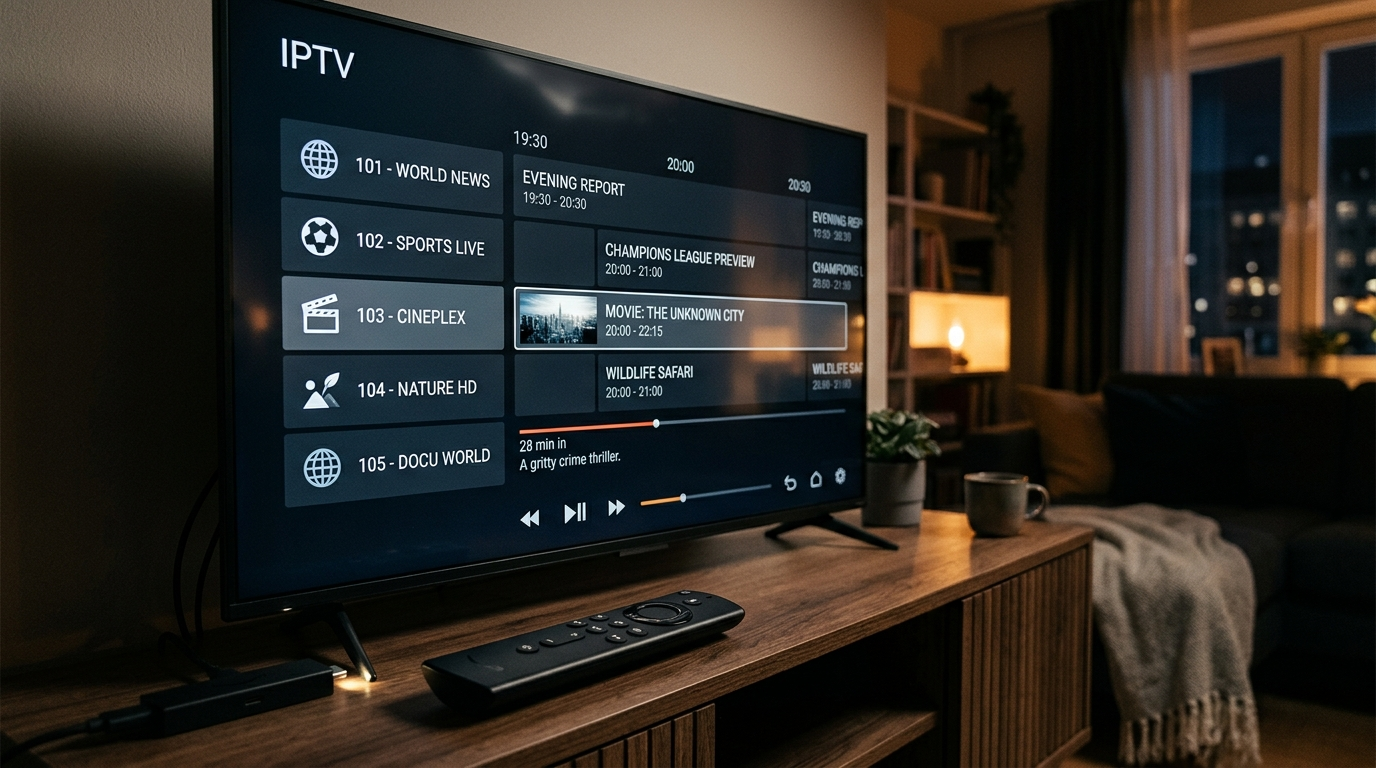
5. Electronic Program Guide
An EPG, or Electronic Program Guide, displays information about scheduled programming.
For live television users, a good EPG can make a significant difference because you can see what is currently playing and what is coming next without manually opening every channel.
6. Customer support
Customer support becomes particularly important if you are new to IPTV.
A useful provider should explain:
- How to activate the subscription
- Which application to use
- How to enter credentials
- Which devices are supported
- What to do if channels do not load
- How to contact support
Your own service currently advertises 24/7 support and provides WhatsApp-based setup assistance.
7. Transparent pricing
Avoid choosing an IPTV subscription based only on the cheapest monthly price.
Compare the total cost of the subscription, cancellation conditions, trial arrangements, refund policy and included features.
Your current website presents monthly, three-month, six-month, 12-month, 24-month and lifetime options, with no auto-renewal messaging displayed on the plans.
Users should nevertheless read the current terms associated with the specific plan they purchase.
Best IPTV Subscription for Firestick: What Should You Compare?
When comparing IPTV providers, create a simple checklist.
| Feature | Why It Matters |
|---|---|
| Firestick compatibility | Ensures the service can be used on your device |
| Channel selection | Helps you find the programming you actually want |
| Video quality | Important for HD and 4K viewing |
| Stability | Reduces interruptions during playback |
| EPG | Makes live-TV navigation easier |
| VOD library | Useful for on-demand entertainment |
| Customer support | Helps resolve setup and technical problems |
| Trial | Allows you to test compatibility |
| Refund policy | Reduces financial risk |
| Pricing | Helps compare providers fairly |
| Device support | Useful for households with multiple screens |
This is a much better way to evaluate the best IPTV subscription for Firestick than simply choosing the service with the biggest advertised number.
IPTV Subscription vs IPTV App: What Is the Difference?
This is one of the most common sources of confusion for beginners.
An IPTV subscription provides access to content from a provider.
An IPTV app/player is the software used to display that content.
Think of it like this:
Subscription = content source
IPTV app = player/interface
Firestick = streaming hardware
All three work together.
Installing an IPTV player does not automatically give you television channels. You normally need a legitimate content source and the credentials or playlist supplied by that source.
Popular IPTV Apps for Firestick
The most suitable application depends on the provider and the type of access credentials it supplies.
Applications frequently discussed in the Firestick IPTV market include players such as
TiviMate
TiviMate is designed specifically around live-TV-style navigation and is commonly discussed for its electronic program guide and television-focused interface.
IPTV Smarters
IPTV Smarters is another widely discussed IPTV player. Its appeal is its relatively familiar interface and support for multiple content categories.
Other IPTV players
There are numerous other IPTV applications available for compatible devices.
When choosing one, consider:
- Compatibility with your provider
- Ease of navigation
- EPG support
- VOD support
- Playlist compatibility
- Stability
- Remote-control usability
- Developer support
Do not assume that the application with the most features is automatically the best choice.
How to Set Up IPTV on Firestick
The exact installation process depends on your IPTV provider and the application being used.
A typical setup has several stages.
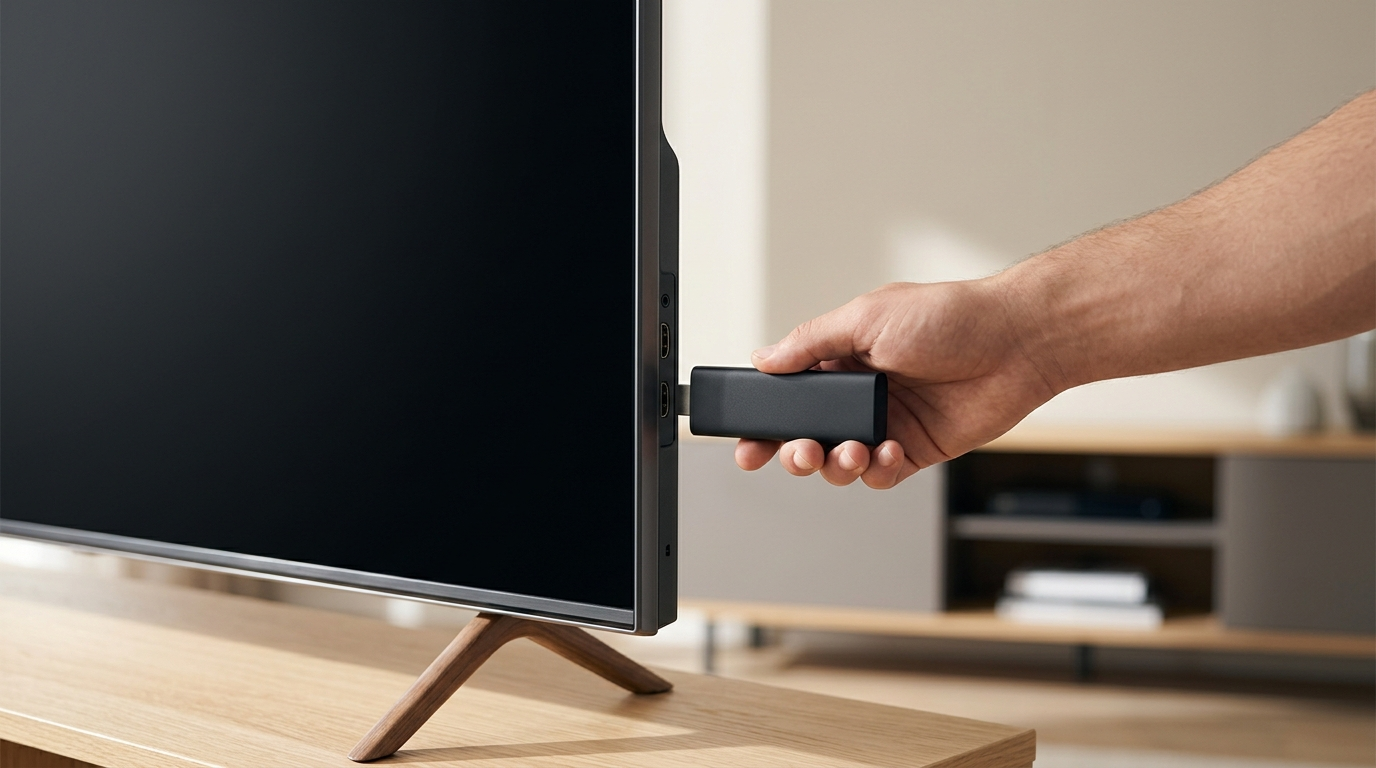
Step 1: Connect your Firestick.
Connect your Firestick to an available HDMI port on your television.
Connect the supplied power adapter and switch your television to the correct HDMI input.
Step 2: Connect to the internet.
During the Firestick setup process, connect the device to your Wi-Fi network.
For the most reliable streaming experience, use a strong and stable connection.
Step 3: Install a compatible IPTV application.
Choose an IPTV player compatible with your provider.
Only download applications from legitimate, trustworthy sources and follow the application’s official installation instructions.
Step 4: Enter your subscription credentials.
Your provider may give you credentials, a playlist URL, or another supported method of authentication.
Enter the information exactly as supplied.
Do not share your account credentials publicly.
Step 5: Configure the EPG
If your provider supports an Electronic Programme Guide, configure it within the application according to the provider’s instructions.
Step 6: Test live television and VOD.
Once setup is complete, test several different types of content.
Try:
- A live channel
- A different category
- An on-demand title
- The EPG
- Channel switching
Testing several features helps identify problems early.
How to Reduce IPTV Buffering on Firestick
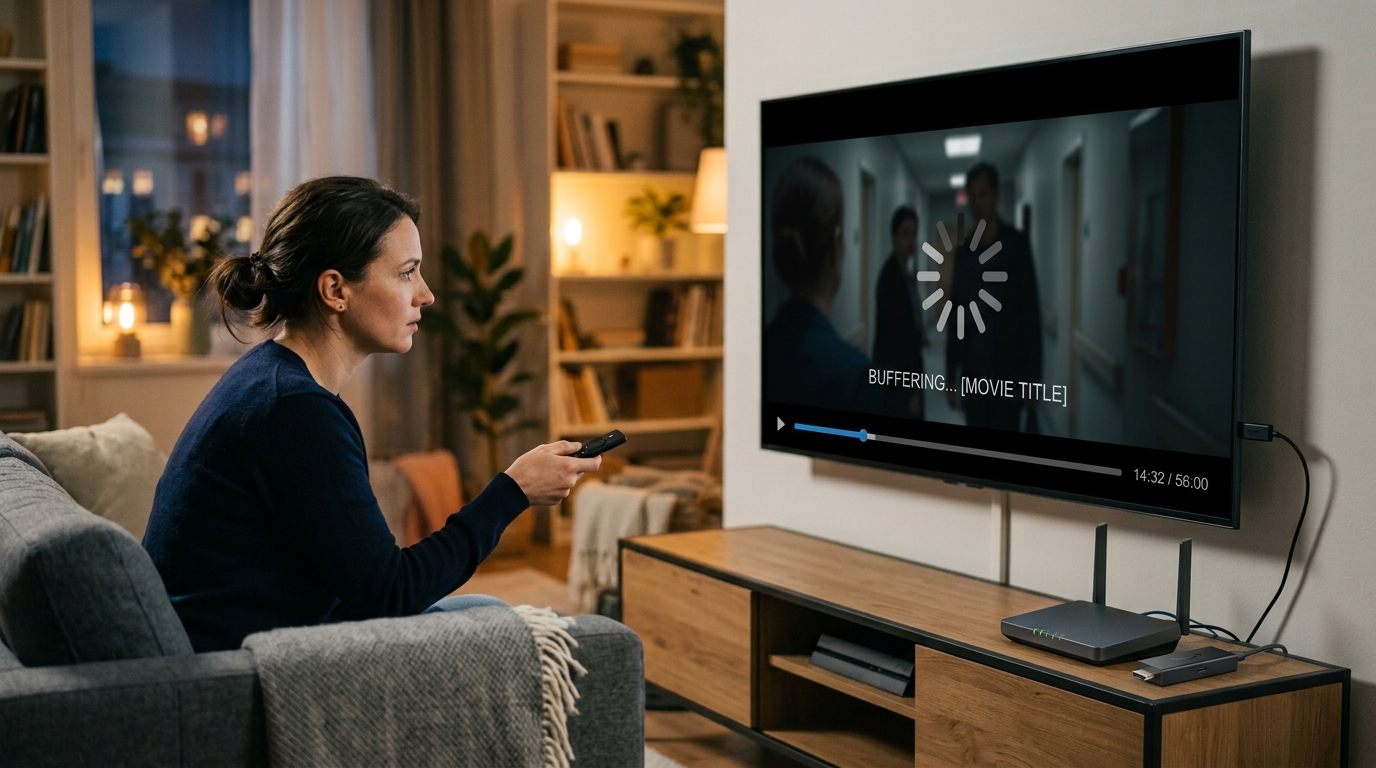
Buffering is not necessarily caused by the IPTV provider.
There can be several different points of failure.
Check your Wi-Fi connection.
If the Firestick is far away from your router, the wireless signal may be weaker than expected.
Try moving the router, improving Wi-Fi coverage or using another network configuration where practical.
Restart the Firestick.
A simple restart can sometimes resolve temporary performance problems.
Restart your router.
If other devices are also experiencing slow internet performance, the problem may be your network rather than the IPTV service.
Check other streaming applications.
Open another legitimate streaming service on the Firestick.
If everything buffers, your internet connection or device may be responsible.
If other services work normally while one IPTV source consistently fails, the issue may be specific to that service.
Check Firestick storage.
Limited storage can affect general device performance.
Remove applications you no longer use and keep the Firestick reasonably maintained.
Avoid unnecessary background activity
Other devices using large amounts of bandwidth can affect streaming performance, particularly on slower connections.
What Internet Speed Do You Need for IPTV?
The required connection depends on the resolution and stream.
In general, higher-quality video requires more bandwidth than standard-definition video.
But raw download speed is not the only factor.
A connection can have a high advertised speed and still perform poorly if it suffers from:
- High latency
- Packet loss
- Weak Wi-Fi
- Network congestion
- Unstable routing
For that reason, test the actual connection available to your Firestick rather than relying only on the speed advertised by your internet provider.
Is IPTV Legal?
This question deserves a clear answer.
IPTV technology is legal.
The important issue is whether a particular service has the necessary rights or licenses to distribute the content it provides.
Before purchasing an IPTV subscription, check the provider’s terms and make sure the service is authorized to distribute the channels, programs, and other content offered in your jurisdiction.
Do not assume that a service is authorized simply because:
- It has a professional-looking website
- It offers a large channel list
- It accepts online payments
- It offers a free trial
- It claims to be legal
Users should independently consider the provider’s claims and applicable local laws.
How to Choose a Safe IPTV Subscription
A professional-looking website is not enough to establish that an IPTV provider is trustworthy.
Look for transparency.
Check the company information.
Look for clear information about the business, support channels and policies.
Read the terms.
Understand what you are buying before paying.
Check refund conditions.
If a provider offers a refund guarantee, understand exactly how long the refund period lasts and what conditions apply.
Test before committing.
Where a legitimate trial is available, use it to test the service on your own hardware and internet connection.
Avoid suspicious downloads.
Never install unknown software simply because a website tells you that it is necessary to access television content.
Your Firestick should be treated like any other connected device: protect your account information and only install software from sources you trust.
IPTV for Firestick: Common Mistakes to Avoid
Choosing a provider solely because it has the most channels
More channels do not necessarily mean better service.
Buying a long subscription before testing
If a trial is available, testing first can help you determine whether the service works properly with your setup.
Ignoring your internet connection
A provider cannot compensate for an unreliable home network.
Using an incompatible application
Always confirm that the player supports the credentials or playlist supplied by your provider.
Expecting every channel to perform identically
Different sources can behave differently. One channel may work perfectly while another experiences problems.
Ignoring customer support
Technical assistance can save significant time when setting up a new service.
Frequently Asked Questions About IPTV for Firestick
What is the best IPTV for Firestick?
The best IPTV for Firestick depends on your viewing requirements, location, device and budget. Prioritize compatibility, reliability, channel availability, video quality, EPG support, customer service and transparent pricing rather than choosing purely by channel count.
Can I use IPTV on an Amazon Firestick?
Yes, compatible IPTV services can be used on Firestick through supported IPTV player applications. The exact setup depends on the provider and application.
Do I need an IPTV app for Firestick?
Generally, you need a compatible application or player to access IPTV content on your Firestick. Your provider should tell you which application and login method it supports.
What is the best IPTV app for Firestick?
There is no universal winner. TiviMate, IPTV Smarters and other IPTV players each have different interfaces and features. Choose one that is compatible with your authorized IPTV service and meets your needs.
Why does IPTV buffer on Firestick?
Buffering can be caused by slow or unstable internet, weak Wi-Fi, network congestion, device performance, application problems or issues with the content source.
Does IPTV work on Firestick 4K?
Compatible IPTV services and applications can work on Firestick devices capable of 4K output. Actual 4K playback depends on the device, television, application, internet connection and the source content.
Can I use the same IPTV subscription on multiple devices?
That depends entirely on the provider’s terms and the number of connections included with your plan. Check the subscription conditions before attempting to use an account across multiple devices.
Should I test an IPTV service before buying?
If the provider offers a legitimate trial, testing the service before purchasing a longer subscription can be useful. Test it on the same Firestick, network and television you intend to use.
Final Thoughts: Finding the Best IPTV for Firestick
Finding the best IPTV for Firestick is not simply about finding the provider with the largest number of channels.
The better approach is to evaluate the entire streaming experience.
Start with compatibility. Then look at channel selection, video quality, stability, EPG functionality, VOD availability, customer support, pricing and trial or refund conditions.
Your internet connection and Firestick hardware also matter. Even an excellent IPTV service can perform badly when the home network is unstable, while a reliable network can make a well-supported service perform much better.
If you are considering a subscription from Firestick IPTV Subscription, you can review the site’s current IPTV Subscription options, pricing plans, and Firestick Setup resources before making a decision. The site’s homepage currently advertises plans ranging from one month through lifetime access, plus a 24-hour trial option.
For additional information about streaming technology and your Fire TV device, consult official documentation from Amazon Fire TV and the relevant application developer.
Most importantly, choose services that are transparent about what they provide and make sure the content you access is properly authorized in your jurisdiction.
A good IPTV setup should make watching television easier—not create unnecessary technical, financial or legal uncertainty.