If you are looking for a simple way to organize and watch IPTV content on your Firestick, Smart TV, Android device, iPhone, or other compatible hardware, IPTV Smarters Pro is one of the names you are likely to encounter.
The application is designed to work as a media player. Rather than supplying television channels itself, it allows users to load compatible playlists or credentials from an IPTV provider and access the content through a convenient interface. This distinction is important: the app and the content source are separate.
For Firestick users in particular, IPTV Smarters Pro can provide a convenient interface for live TV, video-on-demand content, series, electronic program guides, and other features, depending on the playlist and service being used.
In this guide, we explain what IPTV Smarters Pro is, how it works, how to set it up, what features to look for, common problems and how to use an IPTV player responsibly.
What Is IPTV Smarters Pro?
IPTV Smarters Pro is an IPTV media-player application that lets users access compatible streaming playlists through a dedicated interface.
Think of it as the software that sits between your streaming device and your authorized IPTV content source.
The application itself does not automatically give you access to television channels, movies or sports. Instead, you normally need a compatible playlist, account or service credentials from your IPTV provider.
Depending on the version and platform, Smarters-branded applications can support playlist formats and connection methods such as M3U and Xtream Codes. Current Smarters Pro information also describes support for features including multiple playlists, favorites, parental controls and playback of live and on-demand content.
This makes IPTV Smarters Pro particularly useful for people who want to manage IPTV content from one application instead of relying on a different app for every service.
IPTV Smarters Pro vs. an IPTV Subscription
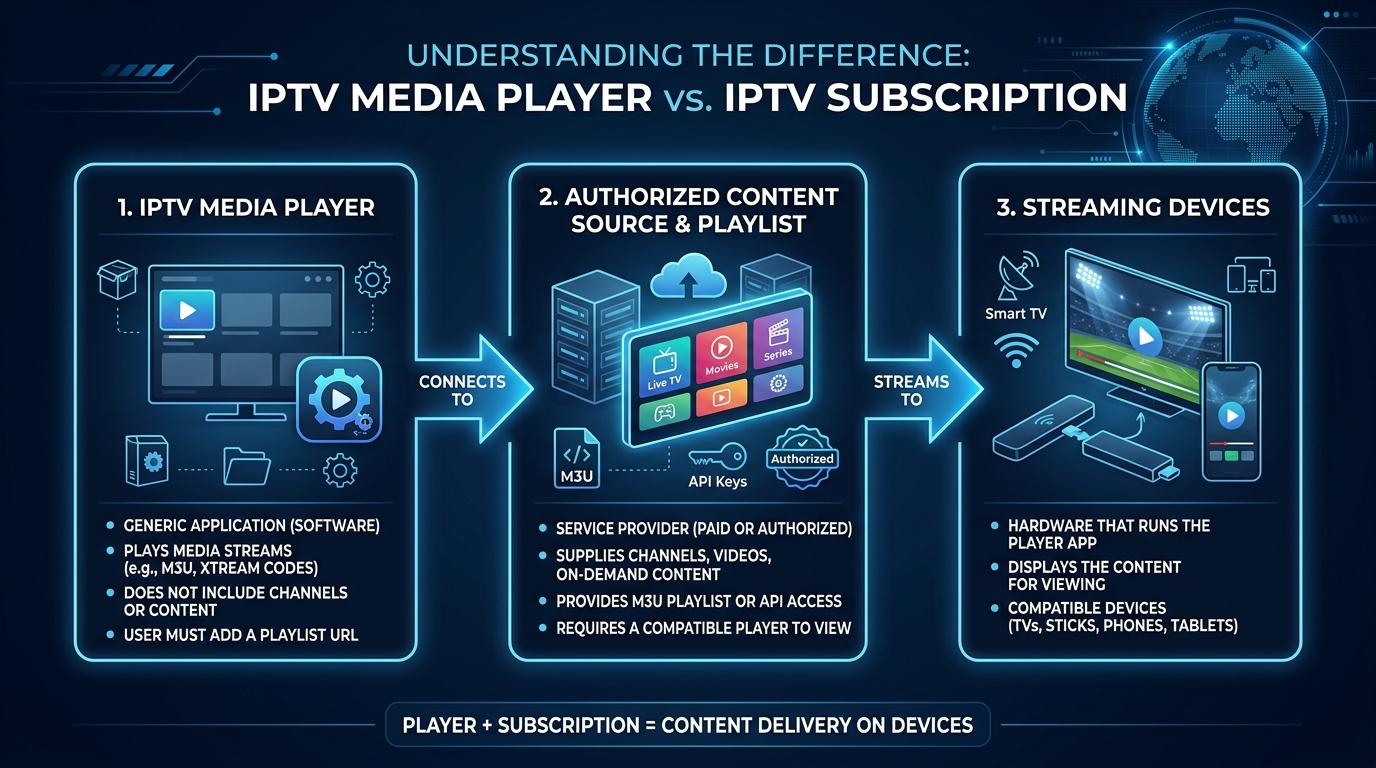
One of the most important things to understand is that IPTV Smarters Pro is not the same thing as an IPTV subscription.
The two perform different functions:
- IPTV Smarters Pro: Provides the player and user interface.
- IPTV provider: Supplies the playlist, streams or service credentials.
- Firestick or Smart TV: Provides the hardware or operating system used to run the application.
- Internet connection: Delivers the streaming data to your device.
The Smarters Pro website explicitly states that its software does not provide or sell subscriptions, streams or media content.
This distinction is also important when evaluating an IPTV service. A player can technically display a stream, but that does not determine whether the underlying content source is authorized.
How Does IPTV Smarters Pro Work?
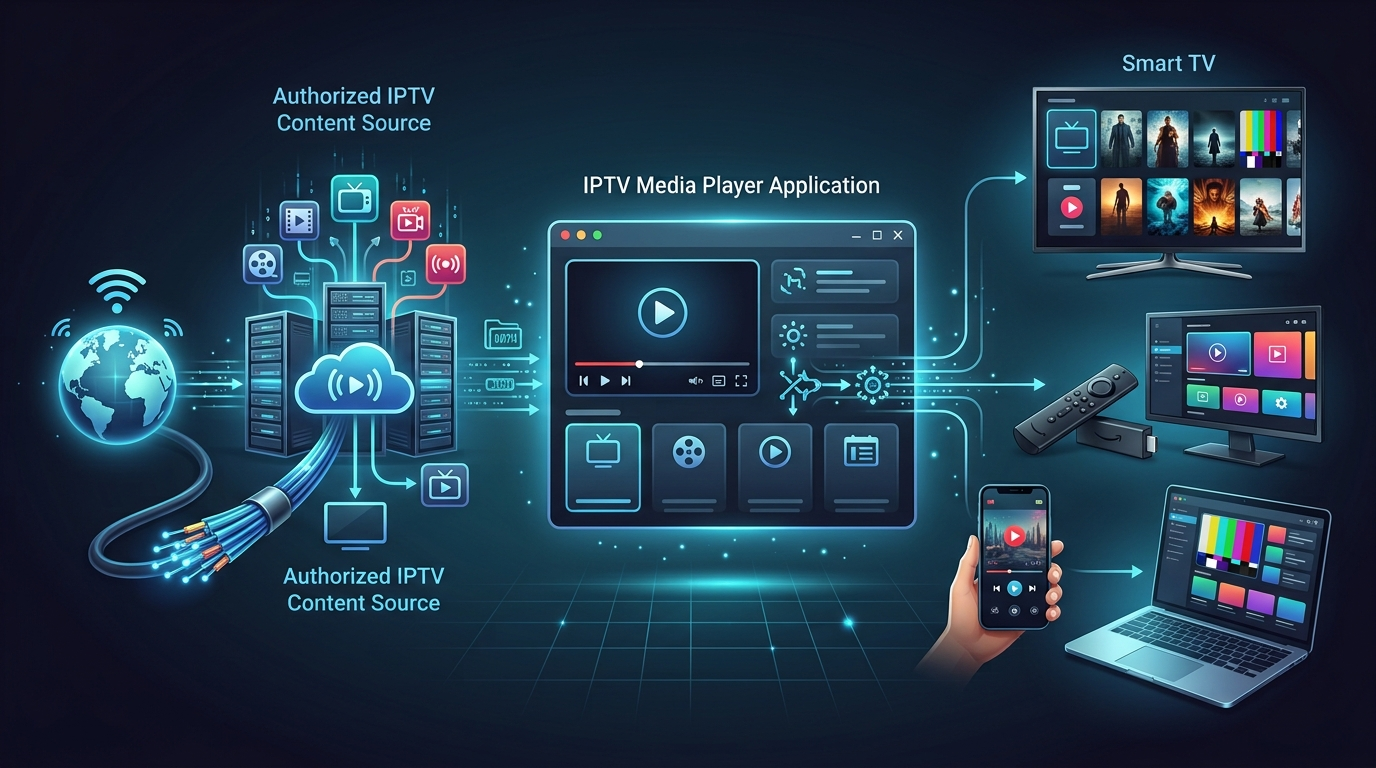
The basic process is straightforward.
First, you install a compatible version of the application on your supported device. You then add your IPTV playlist or enter the connection details supplied by your provider.
After the playlist has been loaded, the application organizes the available content into categories.
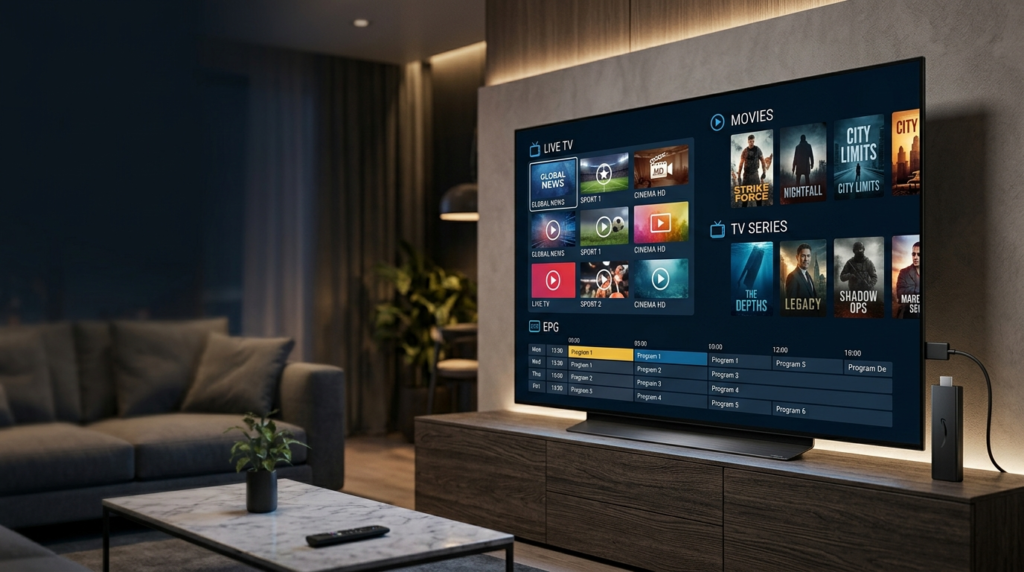
Depending on your service and application version, these categories can include:
- Live TV
- Movies
- TV series
- Catch-up content
- Electronic program guide information
- Favorites
- Multiple playlists
- Parental controls
The exact features available can vary by platform and application version.
For example, current Smarters Pro information describes support for multiple playlists and parental controls, while Smarters-related applications also advertise M3U playlist support and live/VOD playback.
Why Use IPTV Smarters Pro on Firestick?
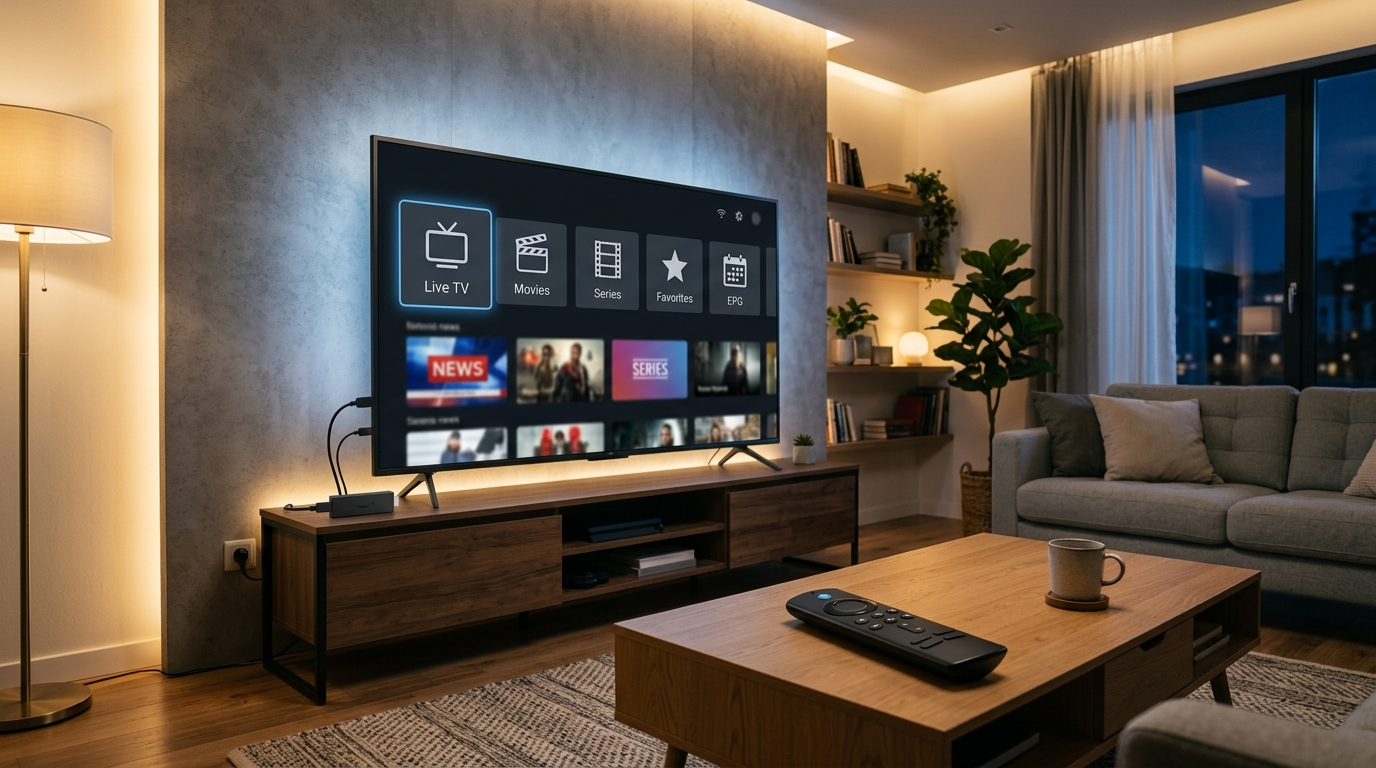
The Amazon Fire TV platform is popular because it turns a television into a connected streaming device without requiring a dedicated computer.
Once your Firestick is configured and connected to the internet, compatible applications can be used to access streaming services and media players.
For IPTV users, one advantage of using a dedicated IPTV player is organization.
Instead of navigating individual URLs or playlists manually, a suitable player can present your available channels and content through a television-friendly interface.
If you are new to IPTV on Firestick, you can also see our Firestick Setup Guide and IPTV Installation Guide for additional information.
Amazon’s own Fire TV documentation explains that Fire TV devices can run applications installed through supported methods, while developers can also install applications through ADB during development.
Benefits of Using an IPTV Player on Firestick
A dedicated IPTV player can offer several practical benefits.
1. TV-Friendly Navigation
A player designed for television devices can make it easier to browse channels with a remote control.
2. Organized Content
Instead of dealing with a long unstructured playlist, supported applications can divide content into categories.
3. Multiple Playlists
Some Smarters Pro versions support multiple playlists, which can be useful for users who have more than one authorized content source.
4. Electronic Program Guide
Where the provider supplies compatible EPG information, the player may display program schedules in a guide-style interface.
5. Favorites
Frequently watched channels can be easier to access when they are added to a favorites section.
IPTV Smarters Pro Features
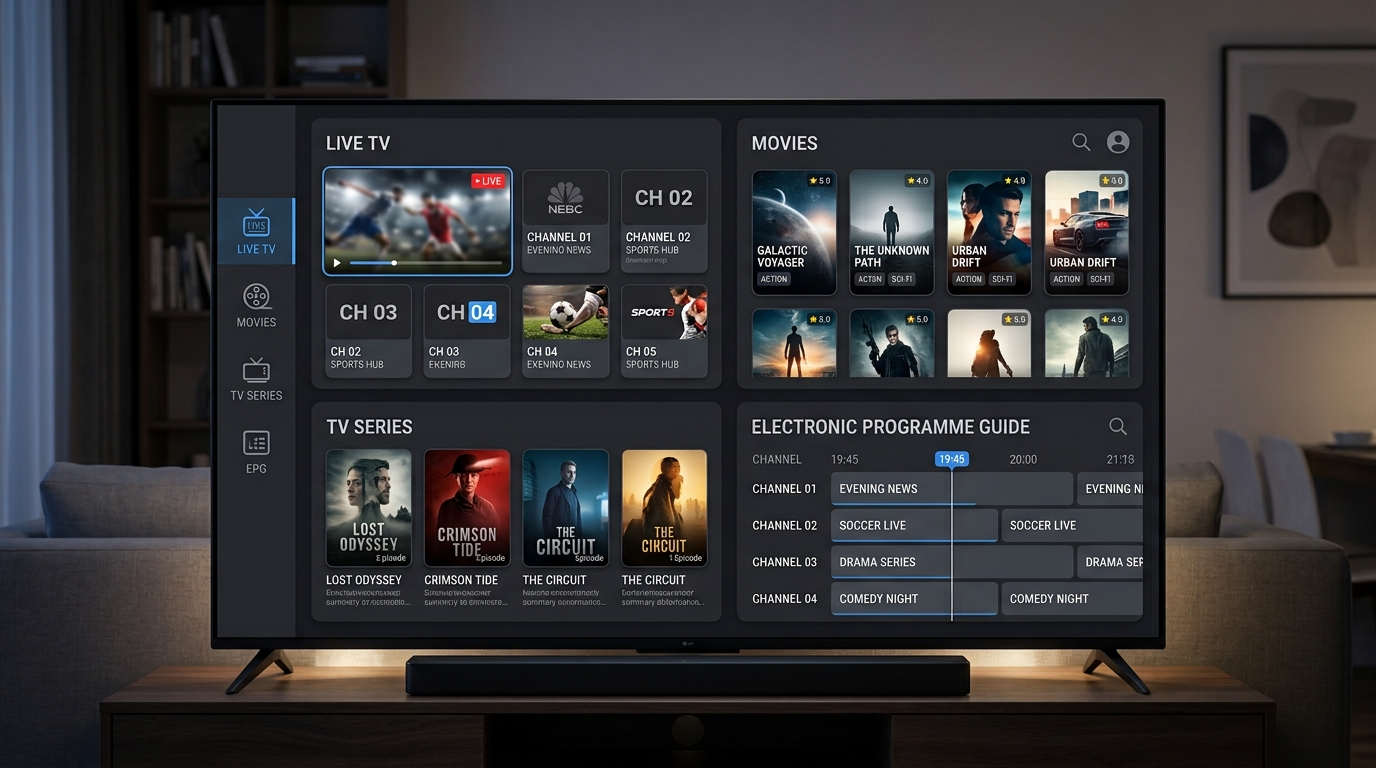
The exact features depend on the version and platform, but several capabilities are commonly associated with Smarters Pro.
Live TV Streaming
Live TV is one of the primary reasons people use IPTV players.
Once a compatible playlist has been added, channels can generally be grouped into categories such as news, entertainment, sports, international programming and other sections created by the provider.
The application does not create those channels itself. It simply provides the interface used to play the available streams.
Movies and Video on Demand
Some IPTV services provide video-on-demand libraries.
Where supported by the playlist, IPTV Smarters Pro can organize movies and other on-demand material separately from live channels.
This can make a large IPTV library easier to navigate.
TV Series
If your provider supplies series information, the player may organize programs by title, season and episode.
This is particularly useful for large libraries where manually navigating an unstructured playlist would be inconvenient.
Electronic Program Guide
An EPG can provide information about scheduled programming.
However, the quality and accuracy of the guide depend largely on the information supplied by the content provider.
If an EPG is empty or inaccurate, the issue may therefore be with the source data rather than the player itself.
Multiple Playlists
Multiple playlist support can be useful if you have more than one authorized IPTV source.
For example, you might use separate playlists for different regions or services.
Smarters Pro currently advertises multiple-playlist functionality as one of its features.
Parental Controls
Some versions also offer parental-control functionality.
This can be useful in households where children use the same streaming device.
Favorites
Adding channels to favorites reduces the amount of scrolling required to find regularly watched content.
For large playlists, this can make a significant difference to everyday usability.
How to Set Up IPTV Smarters Pro
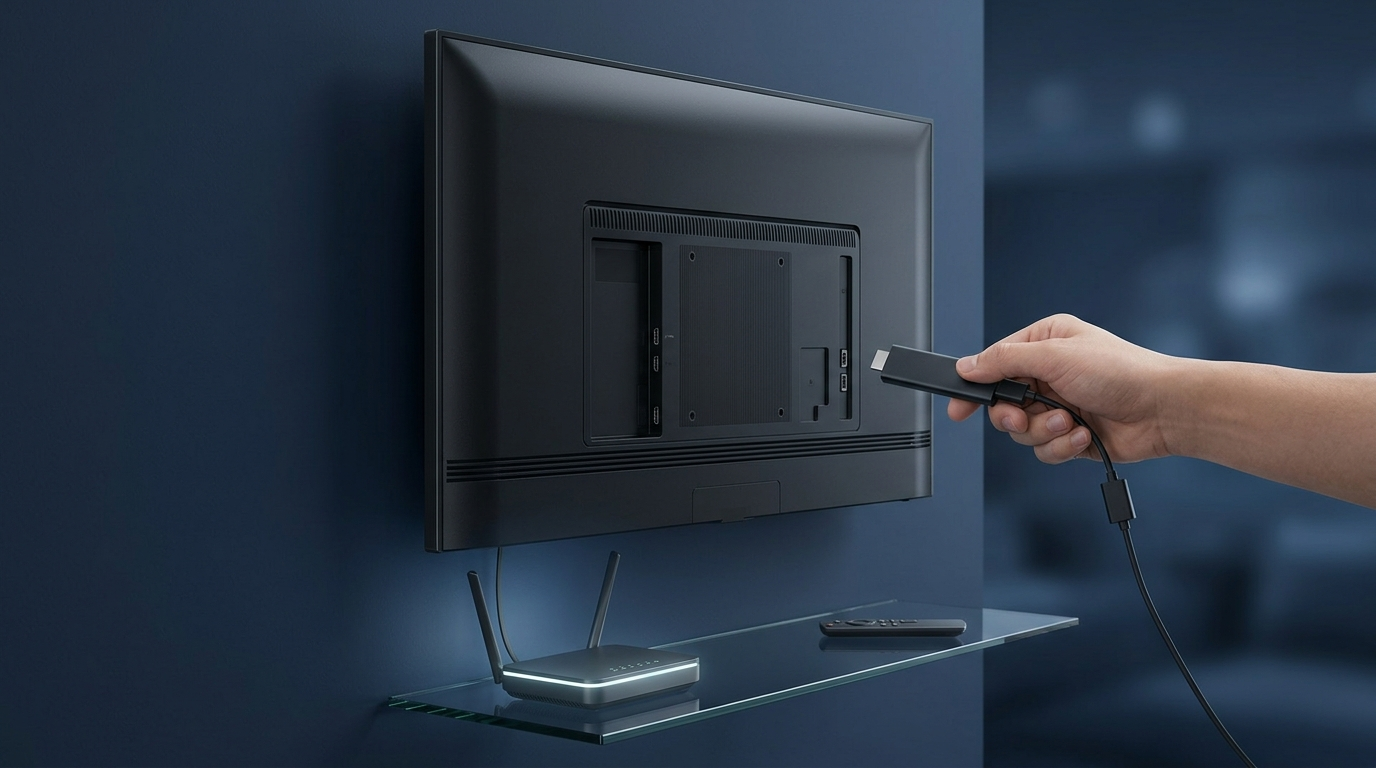
The setup process varies depending on the device and version of the application, but the general workflow is similar.
Step 1: Prepare Your Firestick
Connect your Firestick to your television and complete the standard Fire TV setup.
You will need:
- A working Firestick
- A television with an appropriate HDMI connection
- A stable internet connection
- An Amazon account for the device setup
- A compatible IPTV player
- An authorized IPTV playlist or subscription
Amazon’s Fire TV setup documentation recommends connecting the device, selecting your language, connecting to Wi-Fi and signing in with an Amazon account.
Step 2: Install the Compatible Player
Search for the appropriate Smarters application available for your device and install it through a legitimate distribution method.
Because application names, availability and versions can change, always check the publisher and application details before installing software.
Avoid downloading APK files from unknown websites simply because they claim to offer a newer or “premium” version.
Unofficial APK sources can introduce unnecessary security and privacy risks.
Step 3: Open the Application
Once installed, launch the IPTV player.
The application may present several options for adding your IPTV service.
Depending on the version, these can include playlist URLs, M3U files or Xtream Codes credentials.
Step 4: Enter Your Provider Details
Use the information supplied by your IPTV provider.
Do not guess usernames, passwords, server URLs or playlist addresses.
If your provider has supplied incorrect credentials, contact its support team rather than repeatedly changing settings inside the application.
Step 5: Load Your Playlist
Once the credentials or playlist have been accepted, allow the application to retrieve the available content.
The loading time can depend on the size of the playlist and the speed and reliability of the server supplying it.
Large playlists may take longer to process.
Step 6: Start Watching
After the playlist has loaded, browse the available categories.
Depending on the service, you may see:
- Live TV
- Movies
- Series
- Catch-up
- EPG
- Favorites
You can then customize the application to make frequently used sections easier to access.
How to Use IPTV Smarters Pro Safely
Choosing the right IPTV application is only part of the process.
You should also pay attention to where your streaming content comes from.
Smarters Pro’s own terms state that the application is intended for content users are legally authorized to access and that the software itself does not provide content.
This means users should evaluate the legality of their IPTV source independently of the player.
Use Authorized Content
Only use playlists and streams that you are authorized to access.
The fact that an application can technically play a particular stream does not mean that the stream is licensed.
Be Careful With Unofficial Downloads
Avoid applications or modified APK files from unknown sources.
Look for the legitimate publisher, secure website and appropriate application-store listing where available.
For example, Apple’s App Store currently lists a Smarters IPTV Player Pro application and identifies its developer on the store page.
Protect Your Login Details
If your IPTV provider gives you a username and password, treat those credentials as private.
Do not post them publicly or share screenshots containing account information.
Is IPTV Smarters Pro Legal?
The application itself should not be confused with the content being accessed through it.
A media player is a software tool. The legality of the streams depends on the rights associated with those streams and the laws applicable in the user’s jurisdiction.
Smarters-related terms explicitly emphasize that users should only access content they are authorized to use and that the software does not itself supply television channels or playlists.
Therefore, the safest approach is simple:
Use IPTV Smarters Pro with legitimate, authorized content sources.
If you are unsure whether an IPTV service has the appropriate rights to distribute particular channels, movies or sports programming, check the provider’s licensing information and applicable local regulations.
IPTV Smarters Pro Troubleshooting
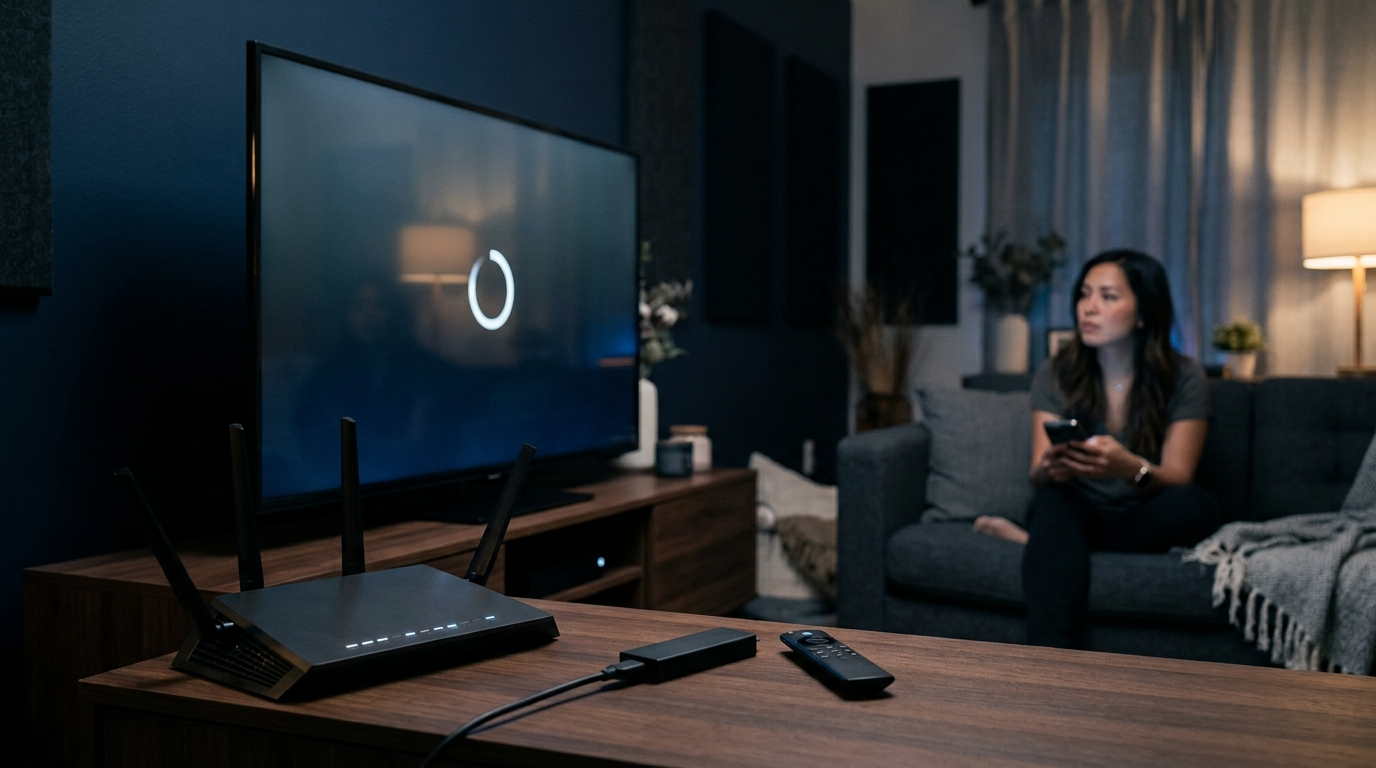
Even when your Firestick and IPTV subscription are working correctly, problems can occasionally occur.
Here are some of the most common issues.
IPTV Smarters Pro Is Not Loading
If the application freezes or fails to load, start with the basics.
Try:
- Closing and reopening the application.
- Restarting your Firestick.
- Checking your internet connection.
- Checking whether other applications can access the internet.
- Confirming that your application is up to date.
- Checking whether the IPTV service itself is experiencing an outage.
Restarting the Firestick is often a simple first troubleshooting step.
Channels Are Buffering
Buffering can have several causes.
Potential factors include:
- Slow or unstable internet
- Wi-Fi interference
- Heavy network traffic
- Server-side congestion
- An overloaded IPTV source
- High-resolution video requiring more bandwidth
- Problems with the particular stream
Try testing another channel.
If one channel buffers while others play normally, the issue may be associated with that individual stream rather than the Firestick.
Playlist Will Not Load
If your playlist refuses to load, verify the information you entered.
Check:
- Username
- Password
- Server URL
- Playlist URL
- Expiration date
- Internet connection
If everything appears correct, contact your provider.
Do not assume that reinstalling the player will fix a server-side account problem.
EPG Is Missing
An empty EPG can occur when the playlist does not contain compatible guide information or when the guide URL is incorrect.
Check whether your provider actually supplies EPG data.
If it does, request the correct EPG details from the provider.
Login Details Are Not Working
If you receive an authentication error, verify the credentials carefully.
Remember that some systems are case-sensitive.
Copying and pasting credentials can help avoid typing mistakes, but make sure you do not accidentally copy spaces before or after the information.
IPTV Smarters Pro on Other Devices
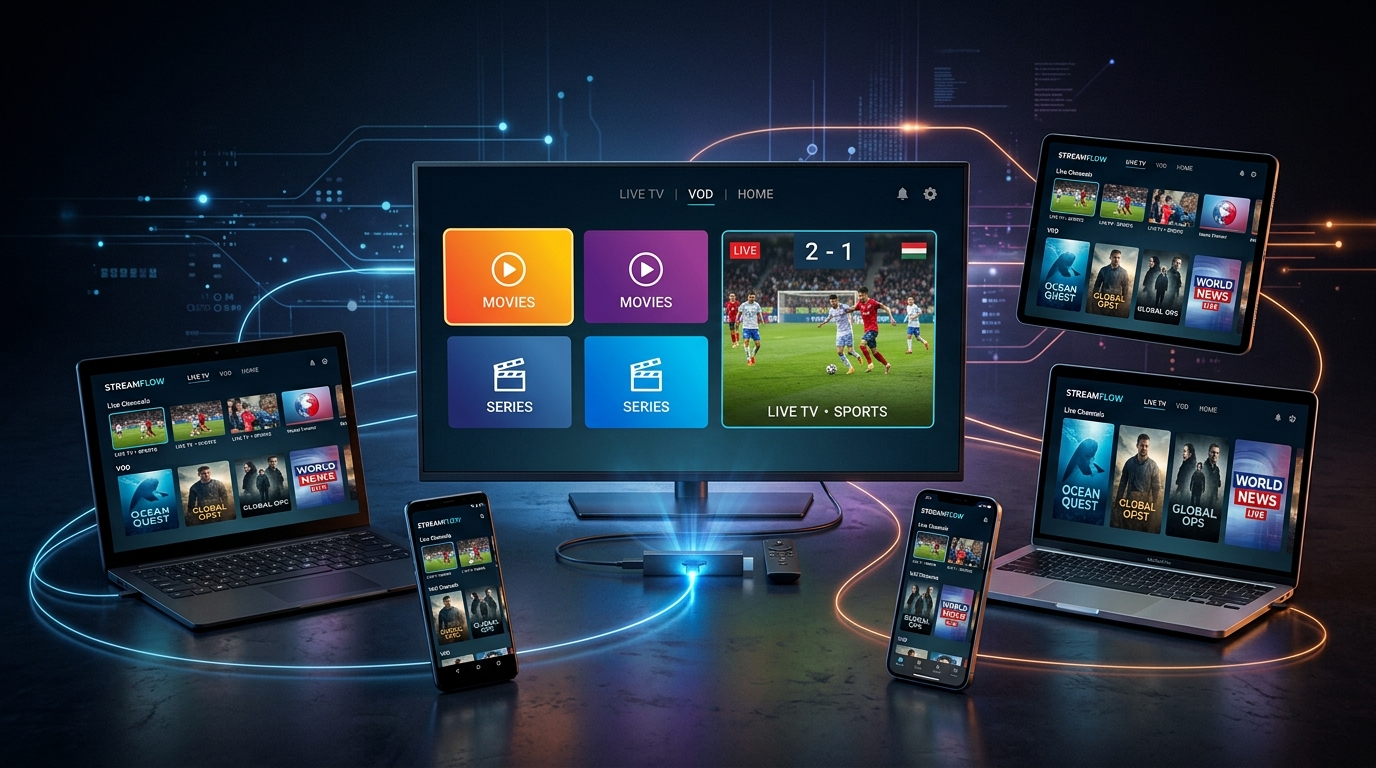
Although Firestick is a popular choice, IPTV players are not limited to Amazon’s streaming hardware.
Smarters Pro information currently references support across platforms, including Android, iOS, Windows, Mac, Smart TV and Fire TV Stick.
The exact installation process will depend on your operating system.
Android
Android users can install compatible IPTV player applications through supported app distribution channels.
Always check the developer information before installing an application.
iPhone and iPad
Compatible versions can be available through Apple’s App Store.
The App Store listing should be treated as the preferred starting point where the appropriate application is available.
Smart TVs
Some Smart TVs support IPTV player applications directly through their respective app stores.
Compatibility can differ significantly between television manufacturers and operating systems.
Windows and Mac
Desktop users may have access to compatible Smarters applications or alternative IPTV players.
The best choice depends on the operating system, playlist format and features you require.
IPTV Smarters Pro vs Other IPTV Players
There is no single IPTV player that is perfect for every user.
When comparing IPTV applications, look at the features that actually matter to you.
Consider:
- Device compatibility
- Playlist support
- EPG support
- Multiple playlist support
- Ease of navigation
- Favorites
- Parental controls
- Playback stability
- Update frequency
- Developer support
- Privacy practices
A feature-rich application is not necessarily the best choice if it is difficult to navigate on your particular device.
For Firestick users, remote-control navigation and application stability can be more important than having a long list of advanced features.
Choosing an IPTV Subscription for IPTV Smarters Pro
The player is only as useful as the content source connected to it.
When comparing an IPTV service, consider the following factors.
Reliability
A large channel list means little if streams frequently stop working.
Look for a provider that explains its service clearly and offers appropriate customer support.
Device Compatibility
Make sure the provider supports the device you intend to use.
Our [IPTV Subscription] page provides more information about the service and supported devices.
Installation Support
New IPTV users may need assistance configuring their device.
A provider with clear setup instructions can make the process significantly easier.
You can also see our [Installation Guide] for information about configuring IPTV across supported devices.
Customer Support
Technical problems can happen with any streaming service.
Responsive support is therefore an important consideration when choosing a provider.
Trial Options
If a provider offers a legitimate trial, it can give you an opportunity to evaluate compatibility before committing to a longer subscription.
Always read the terms of a trial and confirm exactly what is included.
Tips for Better IPTV Streaming on Firestick
A few simple changes can improve the overall streaming experience.
Use a Stable Internet Connection
A reliable connection is usually more important than simply having a high advertised download speed.
If possible, place your Firestick somewhere with a strong Wi-Fi signal.
Restart Your Router
If several devices are experiencing connectivity issues, restarting your router can sometimes resolve temporary network problems.
Keep Your Device Updated
Install operating system and application updates from legitimate sources when they become available.
Avoid Overloading Your Network
Large downloads, gaming, video calls and multiple simultaneous streams can compete for available bandwidth.
If IPTV performance drops during periods of heavy household internet use, check whether other devices are consuming significant bandwidth.
Test Different Streams
If only one channel buffers, test several other channels.
This can help determine whether the issue is your connection or the individual stream.
Frequently Asked Questions About IPTV Smarters Pro
Does IPTV Smarters Pro provide channels?
No. Smarters Pro is a media player and does not itself provide IPTV channels or a television subscription. Users need their own compatible and authorized content source.
Can I use IPTV Smarters Pro on Firestick?
Compatible Smarters applications are available for Fire TV and other supported platforms. Always check the current application availability and publisher before installing.
What do I need to use IPTV Smarters Pro?
You generally need a compatible device, an internet connection, the IPTV player and an authorized playlist or IPTV service that supplies compatible credentials.
Does IPTV Smarters Pro include an IPTV subscription?
No. The application and IPTV subscription are separate products. Smarters Pro states that it does not provide or sell subscriptions, streams or media content.
Does IPTV Smarters Pro support M3U?
Smarters-related applications support M3U or M3U8 playlists, depending on the specific version and platform.
Why is my IPTV Smarters Pro buffering?
Buffering can be caused by your internet connection, Wi-Fi conditions, device performance, server congestion or an individual stream. Testing multiple channels can help identify the source of the problem.
Why is my EPG not working?
EPG information depends on the data supplied by the IPTV source. If the guide is missing or inaccurate, check that your provider supplies compatible EPG information and that the correct details have been configured.
Can I use more than one IPTV playlist?
Some Smarters Pro versions support multiple playlists. This can be useful for users who have multiple authorized content sources.
Is IPTV Smarters Pro safe?
The safest approach is to obtain the application from a legitimate source, keep your device updated and avoid unofficial modified applications. You should also use only content sources that you are authorized to access.
Final Thoughts
IPTV Smarters Pro can be a convenient solution for users who want to organize compatible IPTV content through one media-player interface.
For Firestick users, the combination of a television-friendly interface, playlist support and features such as favorites, EPG and multiple playlists can make IPTV content easier to manage.
However, it is important to understand what the application actually does. IPTV Smarters Pro is a player, not a source of television channels. Your available content comes from the playlist or IPTV service connected to the application.
If you are setting up IPTV on Firestick for the first time, start by making sure your Firestick has a reliable internet connection, install applications only from trustworthy sources and use an IPTV provider whose content you are authorized to access.
For more information about getting started, visit our Firestick IPTV Subscription page, explore our Pricing Plans, or follow our Firestick Setup and Installation Guide resources.
When configured correctly with an authorized content source, a suitable IPTV player can turn your Firestick or Smart TV into a convenient central hub for live television and on-demand streaming.